
Read AI markdown beautifully. MD Beautifier renders, checks and exports .md files right in Chrome. 100% local: nothing you open leaves your device.
MD Beautifier is a free Chrome extension that opens Markdown (.md) files as formatted, readable pages. It also checks the Markdown itself with Markdown Doctor and exports it as PDF, HTML or a shareable image. It works with local files and, if you allow it, with .md files on websites.
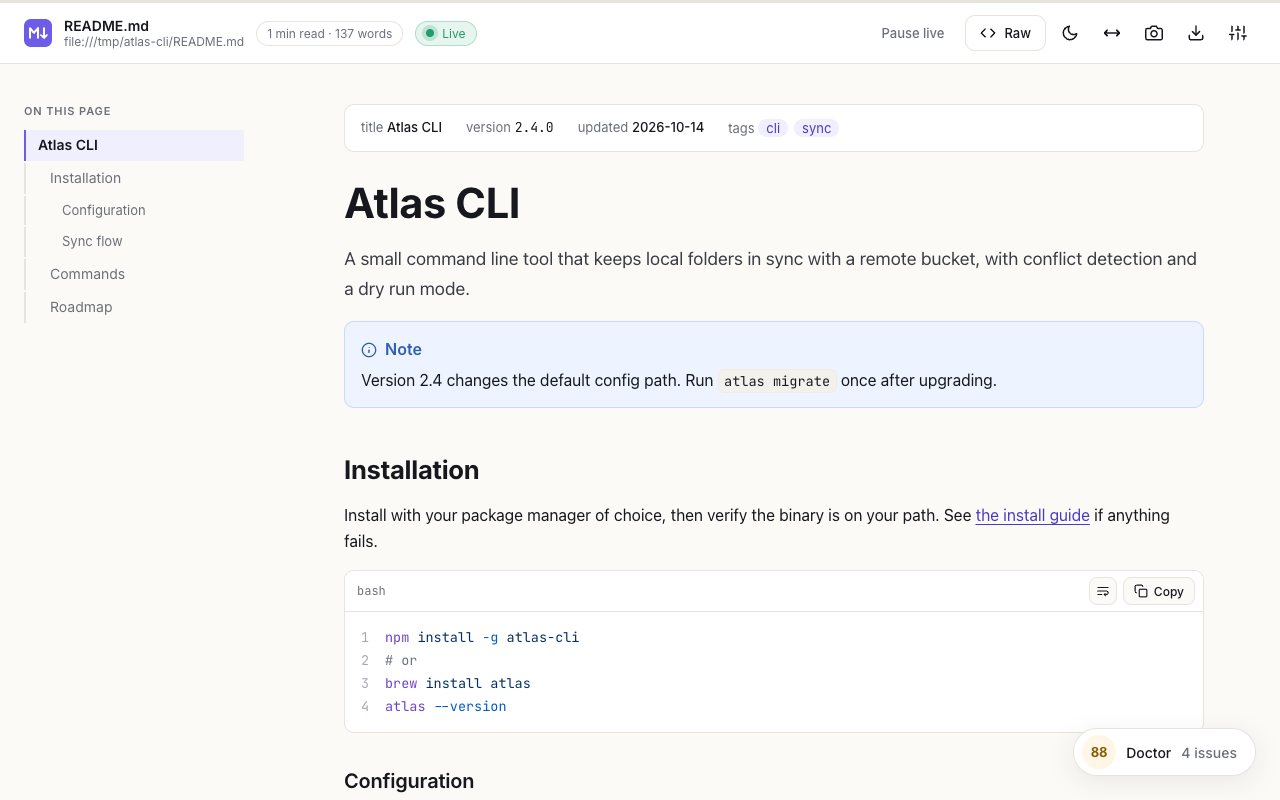
Claude, ChatGPT and Cursor hand you README files, AGENTS.md, CLAUDE.md, plans and reports as Markdown. Open one in Chrome and MD Beautifier turns the plain text into a clean, readable page.
What you get
- A calm reading view: table of contents, reading time, progress bar, GitHub alerts, tables, task lists and footnotes.
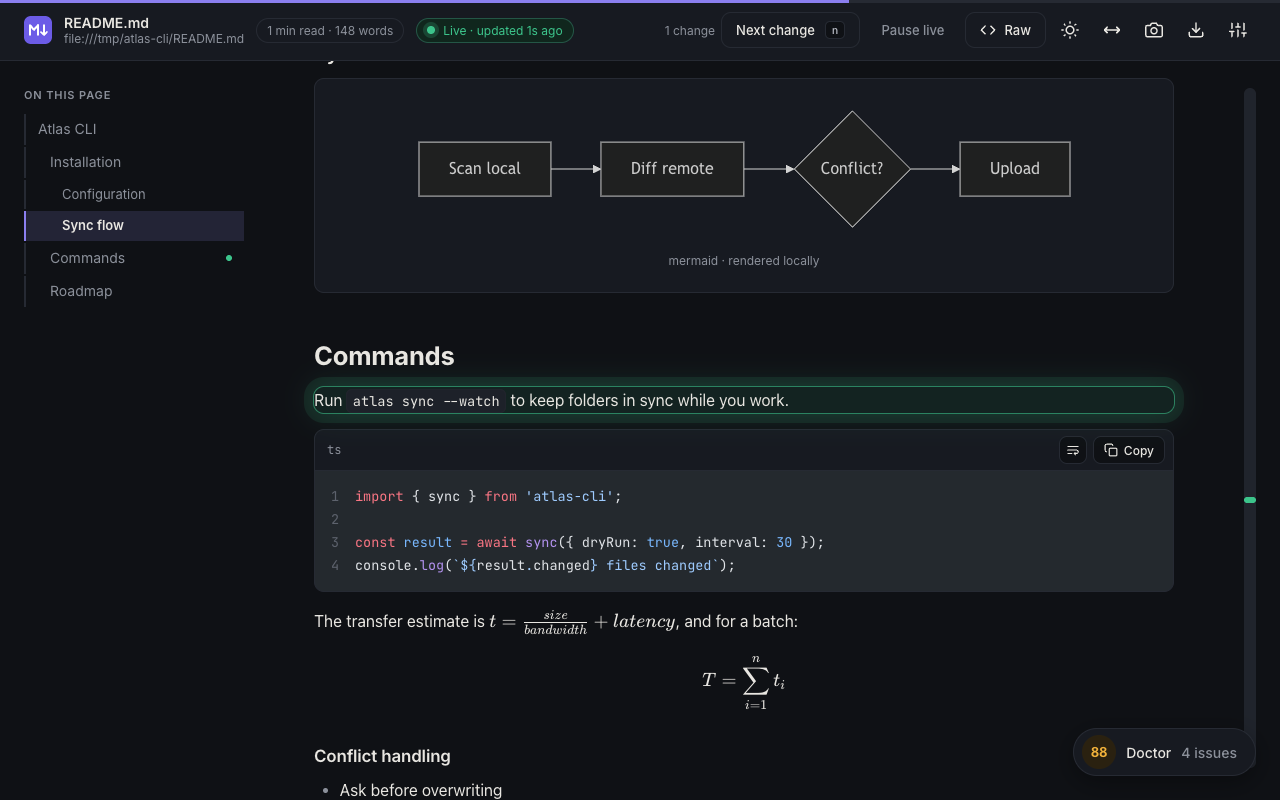
- Code, diagrams and math: highlighting for more than 45 languages, Mermaid diagrams and KaTeX.
- Live reload with Change Glow: save the file in your editor and the page updates within a second, with every change highlighted.
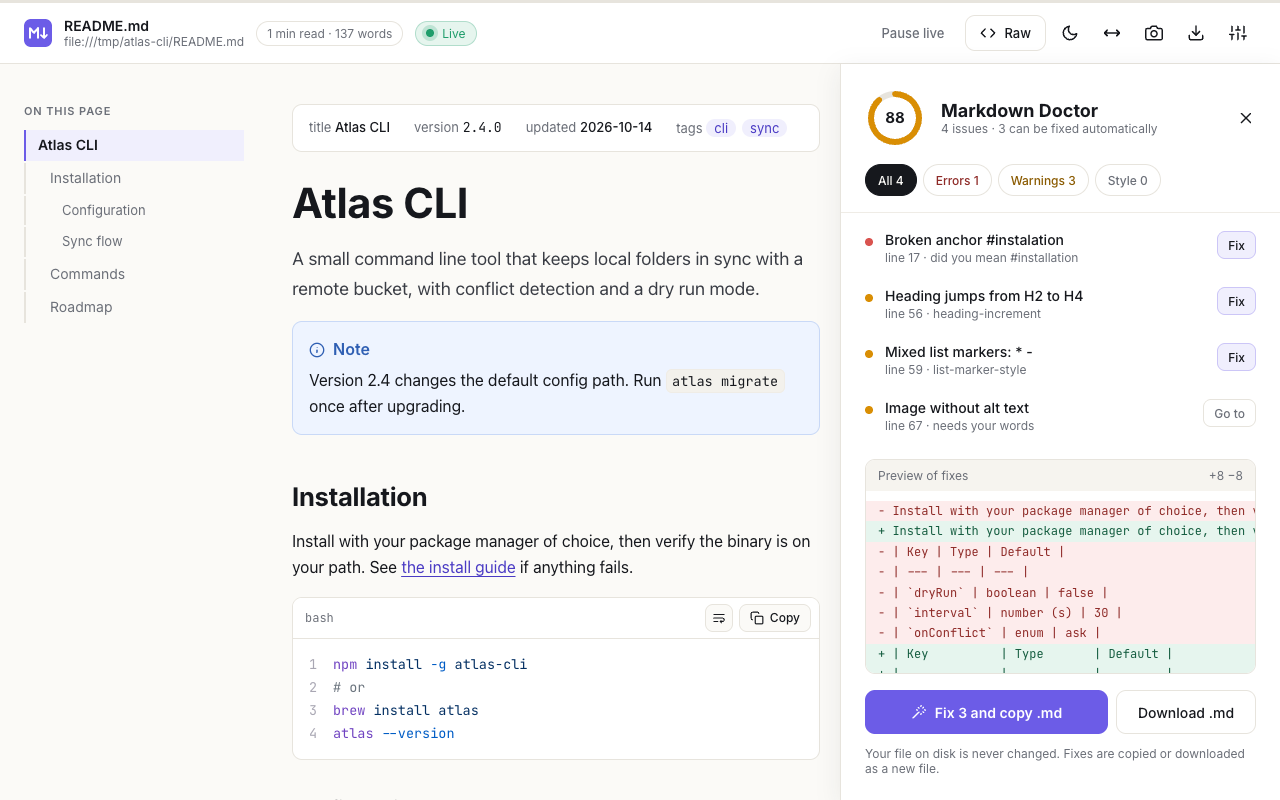
- Markdown Doctor: checks the file itself (broken links, skipped heading levels, unclosed code blocks, mixed list markers, missing alt text), scores it and gives you a cleaned copy. Your file is never modified.
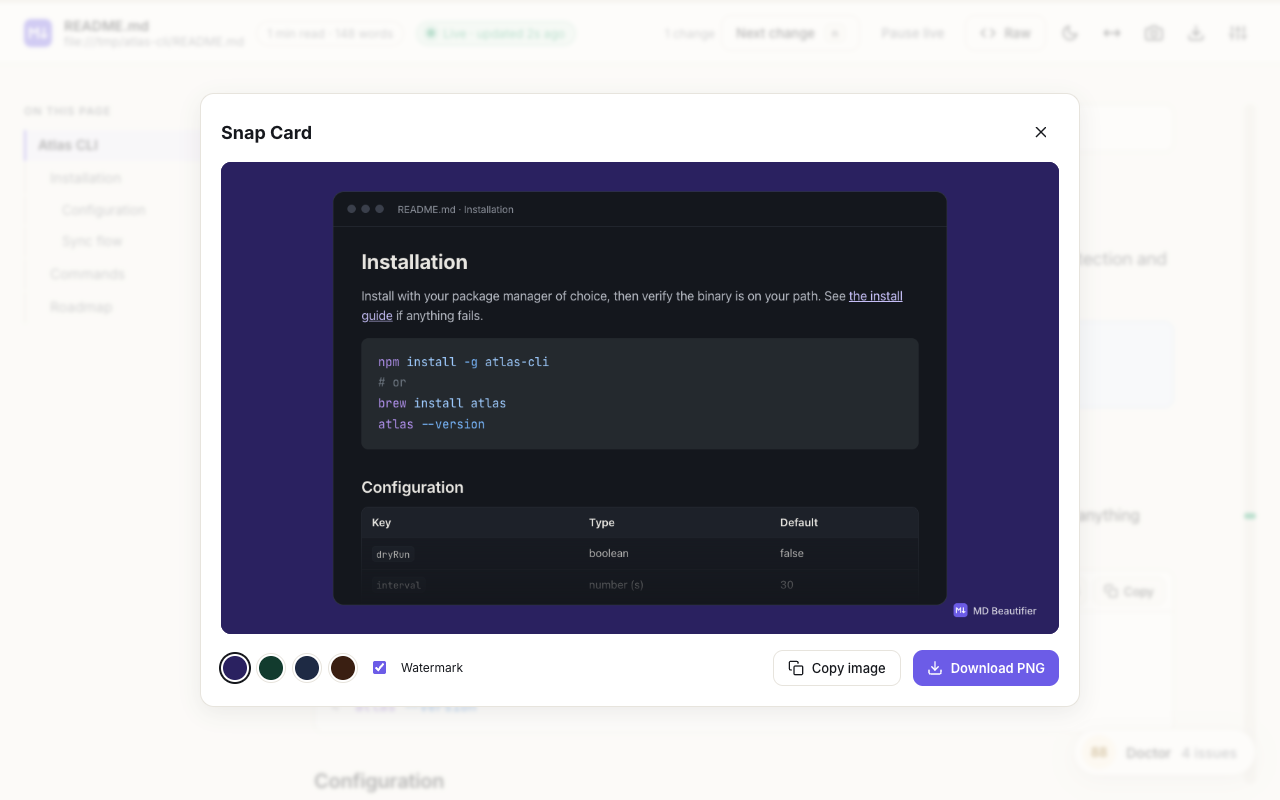
- Snap Card: turn a section, code block or table into an image you can share.
- Export: save as PDF or download a single-file HTML page.
- Your way: light, dark and system themes, accent colors, typography presets, keyboard shortcuts, and 33 languages.
Private by design
No account, no analytics, no tracking. Everything happens on your device. MD Beautifier only reads the Markdown pages you open: local files after you allow file access, and websites only after you enable them one by one.
Getting started
Chrome keeps extensions away from files on your computer until you allow it. After installing, a short guide shows you the one switch to turn on (“Allow access to file URLs”). It takes about ten seconds.
Frequently asked questions
What is MD Beautifier?
MD Beautifier is a free Chrome extension that opens Markdown (.md, .markdown, .mdx) files as formatted, readable pages. It also checks the file with Markdown Doctor and exports it as PDF, HTML or a shareable image. Everything runs on your device.
How do I open a local .md file in Chrome?
Install MD Beautifier, then turn on “Allow access to file URLs” for the extension (a short setup guide opens after installing and shows the switch). After that, drag any .md file into a Chrome tab or use File, Open File, and it opens as a formatted page.
Is MD Beautifier free?
Yes. MD Beautifier is free, with no account, no ads and no paid tier for its features.
Does MD Beautifier collect my data?
No. It has no analytics and no tracking, and it never sends your files or pages to a server. Settings are stored by Chrome and sync only through your own Chrome profile.
Can I convert Markdown to PDF with it?
Yes. Use Export, Save as PDF (or Cmd/Ctrl+P) to print the formatted page to PDF, with options for page size, margins, light colors and a contents page. You can also download a single-file HTML page.
Does it work with Markdown from ChatGPT, Claude or Cursor?
Yes. It works with any Markdown file, including README files, AGENTS.md, CLAUDE.md, plans and reports written by AI tools. Live reload updates the page as the file changes.
Does MD Beautifier work offline?
Yes. All rendering libraries are packaged with the extension, so it works without an internet connection.
Which languages does it support?
The interface is available in 33 languages, and Markdown in any language is rendered, including right-to-left scripts such as Arabic and Hebrew.
Questions or ideas?
Write to hello@digitaltrafficlabs.com. We read every message. Read the privacy policy or see what’s new.