
The bottle is ready, the baby has finally settled, and then someone asks, “When was the last feed?” In the early weeks especially, that small question can turn into a blurry conversation, a half-remembered phone note, or a message thread nobody wants to search. Parents do not need another complicated system. They need a quick, reliable way to keep the routine visible when they are tired.
Quick answer: The best apps for bottle feeding let you log a bottle in a few seconds, show how long ago the last feed was on the first screen, and keep one shared record for everyone who helps with care. Choose a focused app if you only track bottles, or an all-in-one baby tracker if you also log sleep and diapers every day.
This guide is general information, not medical advice. Every baby is different, so ask your pediatrician or health visitor about your own baby.
Disclosure: Digital Traffic Labs makes FeedRight. We mention it where it fits and explain our criteria, so you can judge every option for yourself.
What is a bottle feeding tracker?
A bottle feeding tracker is a mobile app that records bottle feeds, usually the time and the amount, and shows a simple timeline of those entries. It gives caregivers one shared reference point instead of relying on memory, paper notes, or scattered texts.
Why does a simple record help on busy days?
Bottle feeding involves lots of tiny handoffs. One parent feeds before work, a grandparent visits in the afternoon, and the other parent takes the evening shift. Even when everyone is trying their best, details can get lost between rooms, naps, errands, and the usual noise of family life.
A tracker is not there to turn caring for a baby into a spreadsheet. It is there to answer ordinary questions quickly: Has a feed already been logged? What time did it happen? Which caregiver was on duty? A clean record makes conversations calmer because everyone is working from the same recent information. That matters at 3 a.m., and it matters on a normal Tuesday when life is moving fast.
A log can also make a conversation with your pediatrician clearer. It should support that conversation, not replace professional advice. Questions about feeding amounts, changes in appetite, growth, or anything that worries you belong with your child’s pediatrician. The AAP’s guide on how often and how much babies eat is a good general reference to read alongside that advice.
What should you look for in a bottle feeding app?
The most useful feature is not necessarily the longest feature list. It is the one that removes friction from a task you repeat many times. Before choosing an app, think about the moment you will actually use it: often with one hand, a sleepy brain, and very little patience for menus.
| Feature | Why it matters | Quick test |
|---|---|---|
| Fast logging | You repeat it many times a day | Can you add a bottle from the first screen? |
| Readable timeline | Answers “when was the last feed?” | Is the latest entry visible without scrolling? |
| Sharing | Keeps every caregiver on one record | Can a partner see a new entry on their own phone? |
| Optional extras | Sleep and diaper logs in the same place | Do the extras stay out of the way when you only log bottles? |
Fast, obvious logging
Look for a feed entry that is easy to find from the first screen. You should not have to open several tabs, choose from confusing labels, or fill out fields you do not care about. A good app makes the core action feel immediate. If you want ideas for what to record, our guide on how to log bottle feedings without overthinking keeps it to the essentials.
It also helps when optional details stay optional. Some parents like to add notes, while others only need the time and the amount. Both approaches are valid. The app should let you keep things light without making the log feel incomplete.
A timeline you can read without thinking
A chronological history is often more practical than a dense chart. When a caregiver asks what happened recently, a clear timeline answers the question faster than a screen full of trends and color-coded cards.
Visual summaries can be useful over time, particularly for parents who enjoy seeing patterns. But they should never make the basic information harder to find. If the home screen makes you hunt for the last logged feed, the design is working against the reason you downloaded the app.
Sharing that matches your household
For two-parent households or families with regular help, shared access can be the feature that makes an app stick. One caregiver logs an entry, and the other person checks the same record rather than sending an update every time. If grandparents help often, see our guide to a baby log app for grandparents.
Still, not every family needs sharing. If one person does most of the logging, a simple personal tracker may be enough. Choose based on your real routine, not on a long list of possible scenarios.
Extras that stay out of the way
Many baby trackers combine feeding with diaper, sleep, pumping, growth, and medicine logs. An all-in-one app can be convenient if you want one place for the day’s routine. It reduces app switching and helps a family see the full sequence of events.
The trade-off is that broader apps can feel busy when you only want to record bottles. A focused bottle tracker may feel calmer and faster, while a broader baby tracker suits parents who genuinely use several logs every day. There is no single right setup.
How do you choose without overthinking it?
Start by deciding what problem you are solving. If your main issue is forgetting when the baby last fed, prioritize a fast timeline and easy logging. If several people care for your baby, prioritize a way to keep records visible to the household. If you already track several routines, check whether one app can keep them organized without clutter.
Then test the first few moments, not just the screenshots. Can you add a feed without instructions? Is the most recent entry visible? Does the wording make sense when you are tired? Small usability details matter more than impressive feature lists.
It is also reasonable to look at privacy and notifications. Review whether an app asks you to create an account, what it stores, and whether reminders would feel helpful or annoying. Some parents like prompts; others prefer a quiet tool they open only when needed.
Finally, give a new app a short real-life trial. Use it during actual handoffs and see whether it becomes part of the rhythm. If logging feels like one more chore, simplify. The best system is the one your family will still use next week.
Which mistakes make tracking harder?
The first mistake is trying to record every possible detail from day one. When the process is too demanding, it falls apart on the busiest days. Begin with the one or two details that solve your immediate problem, then add more only if they truly help.
Another common issue is having two competing records. One parent uses an app, another uses a notebook, and a third sends text updates. Pick one primary record for the household. It does not need to be perfect; it just needs to be the place people check first.
Parents can also mistake a log for a rulebook. A tracker records what happened. It does not tell you what should happen next for your individual baby. For calm, practical habits around the bottle itself, our bottle feeding guide covers the basics, and your pediatrician can answer questions about your own baby.
How FeedRight helps
We built FeedRight Baby Tracker for exactly this kind of quick, tired-parent logging. It is a baby tracker for iPhone, Apple Watch and Android that shows how long ago the baby last ate on the first screen. The core logs are free and need no account. FeedRight Premium, an optional subscription, adds cloud backup and family sync so both phones show the same record. You can get it on the App Store or Google Play.
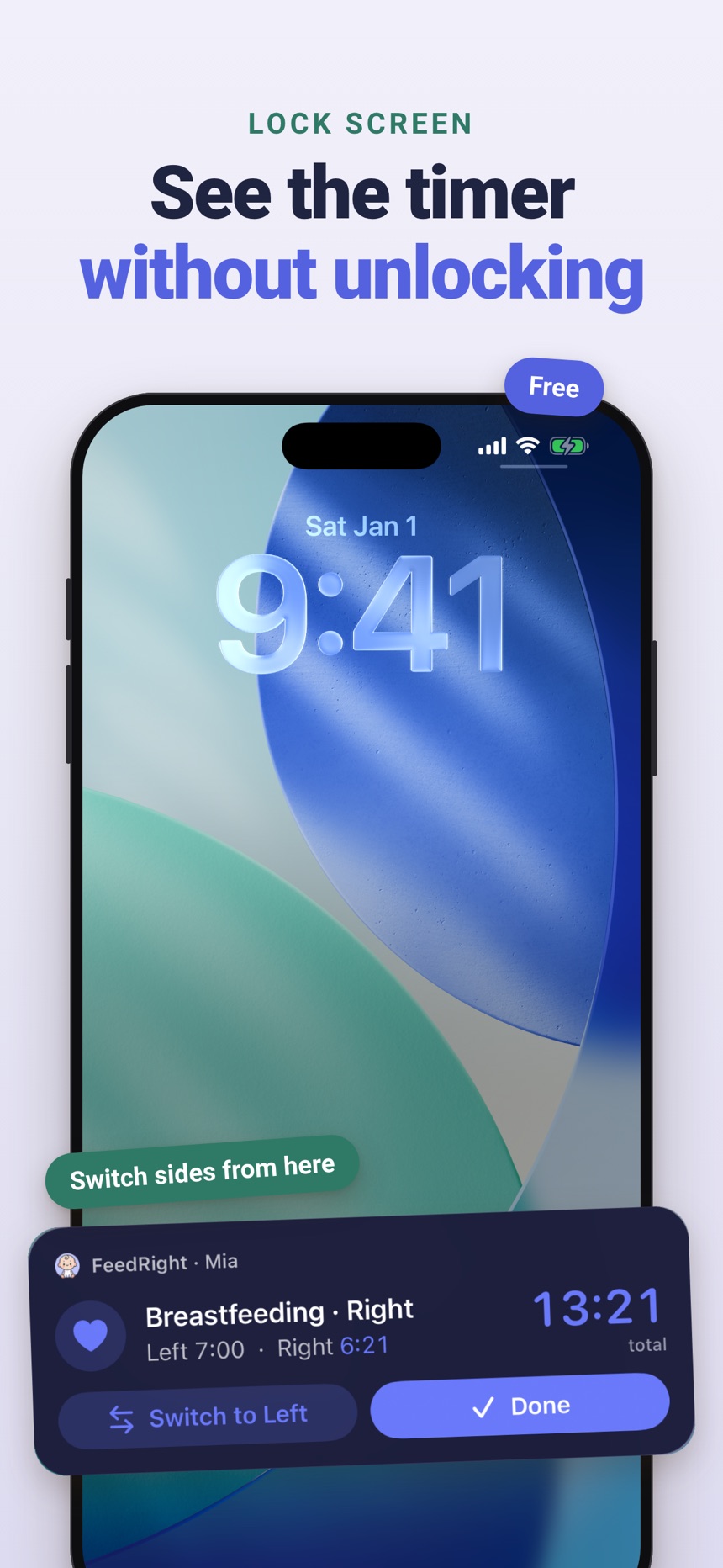
- Log a bottle in ml or fl oz, plus sleep, diapers and pumping in the same place.
- Set a reminder to nudge you a few hours after the last feed.
- Review the daily summary and history when your pediatrician asks a question.
Start with the smallest habit that makes your next handoff easier. A single clear entry can save a surprising amount of guesswork.
Frequently asked questions
Do I need an app just to track bottle feeds?
Not necessarily. A notebook or phone note works for some families. An app becomes especially helpful when memory is getting fuzzy, caregivers share responsibilities, or you want a readable record in one place.
Are all-in-one baby trackers better than focused feeding apps?
Neither is automatically better. All-in-one trackers suit families who log several routines, while focused feeding apps can feel faster and less cluttered for parents who only track bottles.
Should I log every detail of each bottle?
Only log the details that are useful to you or that your pediatrician has asked you to track. A lightweight habit that lasts is more helpful than an elaborate system that becomes too tiring to keep up.
Can two parents use the same bottle feeding app?
Many baby trackers support a shared record so both parents see the same feeds. In FeedRight, family sync is part of the optional Premium subscription, and one plan covers the family.
Can a feeding app recommend age-appropriate foods?
Some parenting apps include food ideas or articles, but a feeding tracker’s main job is to record what your baby ate and when. For advice on which foods suit your baby’s age, ask your pediatrician or health visitor.
What is the best bottle feeding tracker app?
The best bottle feeding tracker app is the one that lets you log a bottle from the first screen in a few seconds, shows how long ago the last feed was, and lets every caregiver see the same record. Try it during a few real handoffs before you commit.