

AI curiosity apps do not need to become another feed you scroll without remembering. They should give a question, idea, or small moment of fun somewhere to go. The real problem is not finding an AI app. It is finding one that feels interesting within a minute, without asking you to learn a complicated system first.
The top AI curiosity apps are not one single category or one overall winner. Some are better for practical questions, some make conversation feel playful, and some turn a silly what-if into an image worth sharing. The right pick depends on the kind of curiosity you actually have when you reach for your phone.
Quick answer: The top AI curiosity apps fall into seven types: general chat assistants, source-citing answer apps, assistants built into services you already use, chat-and-image assistants, character chat apps, image generators, and focused novelty apps. Pick the type that matches your question, test it with three real questions, and check its current privacy settings before you share anything personal.
Disclosure: Digital Traffic Labs makes Future Baby AI Generator. We mention it where it fits and explain our criteria, so you can judge every option for yourself.
What is an AI curiosity app?
An AI curiosity app is a simple app that helps you explore questions, ideas, images, or conversations for interest rather than a formal work task. It can be useful, funny, surprising, or all three, but it should make the first step easy.
Unlike a search habit that sends you through a stack of tabs, an AI curiosity app lets you follow a question in a more conversational, focused way.
How do the main types of AI curiosity apps compare?
This is not a ranking. Popular names people search for in this space include ChatGPT, Perplexity, Google Gemini, Microsoft Copilot and Character.AI. We describe the types of experience below rather than each app’s features, because features, plans and privacy terms change by platform and region. Check the current store listing and privacy policy before you download.
| Type of app | Best for | What to look for |
|---|---|---|
| General chat assistant | Open-ended questions and brainstorming | Easy follow-up questions and a clear way to review or delete your history |
| Source-citing answer app | Questions where you want to see where the answer came from | Sources you can open and judge for yourself |
| Assistant inside services you use | Everyday writing and planning | A plain explanation of what data it can access |
| Chat-and-image assistant | Visual “what if” ideas | A simple way to retry and save results |
| Character chat app | Playful conversation | Settings that let you set time and content boundaries |
| Image generator | Shareable visual jokes | A readable photo policy and clear AI labels on results |
| Focused novelty app | One specific fun question | A clear first screen and an honest description |
A table cannot tell you whether an app will stick. The better signal is what you want to do in the small gaps of the day: settle a question while waiting in line, play with an idea on the couch, or chase down a detail that caught your attention.
1. General chat assistants for open-ended questions
The genuine strength of a general chat assistant is range. You can ask it to explain a confusing topic in plain English, brainstorm a weekend project, turn a rough idea into a list, or keep asking follow-up questions without starting over. That makes it a strong fit for people whose curiosity changes by the hour.
The trade-off is that an open-ended tool can feel like a blank page. Better prompts usually bring better results, and confident wording should not be mistaken for a verified fact. For anything high-stakes, use it as a starting point and confirm details with reliable primary sources or a qualified professional.
2. Source-citing answer apps for questions that need sources
Some AI apps are built around answering questions with links to web sources. That format can be more useful when you want to see where an answer came from rather than simply receive a summary.
The gap is that source-backed answers can pull you into research mode when you only wanted a quick bit of fun. Citations also do not remove the need to judge a source’s quality, date, and relevance. This type is a better match for “what happened?” than “make this weird idea entertaining.”
3. Assistants built into services you already use
An assistant made by the company behind your email, calendar, or browser can be appealing because it feels familiar. It can handle broad prompts, help with writing and planning, and sit inside tools you already open every day.
That connection is also the reason to pause before making it your default. A curiosity app feels lighter when you understand what information it can access and how its settings affect your experience. Review permissions instead of tapping through them during a busy moment.
4. Chat-and-image assistants for visual prompts
Assistants that mix chat with image creation are a handy place to turn a random visual thought into a prompt, compare ideas, or ask a question that benefits from seeing an example rather than reading a long explanation.
The limitation is consistency. AI-generated images and answers can vary a lot from prompt to prompt, and the most interesting result may take a few tries. That is fine for curiosity, but less ideal when you need an exact result quickly.
5. Character chat apps for conversation and play
Character chat apps make AI interaction feel like entertainment. You pick a character or scenario and explore conversations that would feel awkward or unnecessary in a standard assistant. For a playful chat during a spare five minutes, that focus can be the point.
The trade-off is that a convincing conversational style is not the same as expertise or truth. Treat character chats as creative play, not dependable guidance. It is also worth setting personal boundaries around the time and information you share, especially if a chat becomes part of a daily routine.
6. Image generators for “what if?” moments
Image-first AI apps are often the fastest route from curiosity to a shareable result. A simple prompt can turn a pet into a storybook character, sketch a dream room, or visualize a joke that would be hard to explain in text. If you like this kind of play, our guide to AI photo trends worth trying, and ones to skip goes deeper.
Their gap is that the output is not always what you expect, and privacy matters more when prompts involve real people. Before uploading a photo, read the app’s current policies, use images you are comfortable sharing, and never treat generated pictures as factual evidence of anything.
7. Focused novelty apps for one specific question
A focused novelty app can be more satisfying than an all-purpose chatbot because it skips the “what should I ask?” phase. These apps take one familiar curiosity, such as a creative transformation, a playful comparison, or the classic question of what a future baby might look like, and make the experience clear from the first screen.
The limitation is equally clear: a single-purpose app will not replace a general assistant, and a fun result is not a fact. An AI baby image, for example, is an imagined picture, and AI cannot predict a real child’s appearance. That is not a failure. A small tool that answers one fun question well can be easier to return to than a giant tool with dozens of possible uses.
How do you choose without filling your phone?
Start with the feeling you want, not the feature list. If you want clear answers with a trail back to sources, try a source-citing app. If you want an idea partner, a general chat assistant may fit better. If you want a quick laugh or a visual surprise, choose an image or novelty experience built for that moment.
Then give one app a short real-life test. Ask it three questions you would genuinely ask: one practical, one playful, and one slightly specific. Notice whether the answer is useful, whether the controls make sense, and whether you would naturally open it again tomorrow. If not, delete it. A phone with fewer, quieter apps is easier to live with.
Privacy deserves the same simple test. Check whether an account is required, read the current permissions before granting them, and avoid entering sensitive personal details just to make a prompt more interesting. When an answer is worth keeping, put the source link in a link-saving app instead of a pile of screenshots. Curiosity works better when it does not create a cleanup job later.
Where Future Baby AI Generator fits
Future Baby AI Generator is our own example of a focused novelty app. It is an iPhone app for fun that creates an AI-generated image of an imaginary child from two parent photos. It is entertainment, not genetic science, and it does one thing without asking you to learn a system.
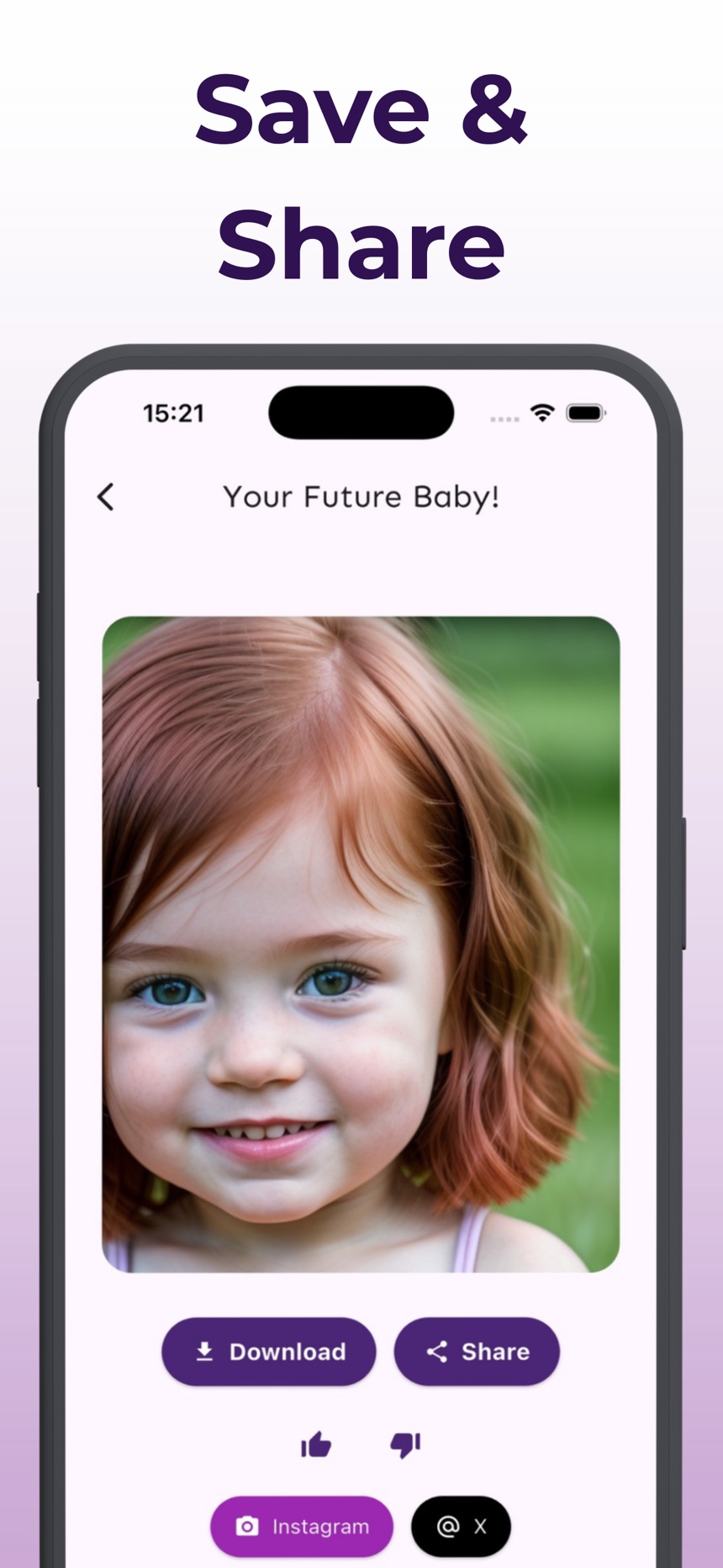
- Add a photo of each parent, choose boy or girl and an age range from baby to teenager, and the image is ready in seconds.
- Every image is labeled as AI-generated, and you can save it to Photos or share it.
- No sign-up is needed. The app is free to download, and creating images requires a subscription.
You can read more on the Future Baby AI Generator page or find it on the App Store.
Frequently asked questions
Are AI curiosity apps only for entertainment?
No. They can be entertaining, but they can also help you explain a topic, find a starting point for an idea, or locate sources for a question. The useful distinction is whether you need a playful, researched, or practical response.
Which AI curiosity app is best overall?
There is no best overall option. A general chat assistant suits broad, open-ended prompts, a source-citing app helps when you want to check where an answer came from, and character or image apps suit playful exploration. The best fit is the one that answers your actual question with the least friction.
Should I trust an AI answer right away?
No. AI can be a helpful first pass, but it can make mistakes, leave out context, or sound more certain than it should. Verify important information, especially anything involving money, legal issues, health, safety, or major decisions.
What should I check before uploading a photo to an AI app?
Read the app’s current privacy policy to see how photos are handled, and only upload photos of people who agreed to it. Crop out sensitive details such as addresses, name tags, or documents before you upload.
How do I test an AI app before keeping it?
Ask an AI app three questions you would genuinely ask: one practical, one playful and one slightly specific. Keep it only if the answers are useful, the controls make sense and you would open it again tomorrow.
Do AI apps keep my conversations?
It depends on the app: many keep a history of your questions, and some use conversations to improve their service. Check the current privacy settings, look for a way to review or delete your history, and avoid sharing sensitive personal details.