
A baby sleep tracker app is not meant to turn your living room into a sleep lab. Its job is much simpler: help you remember when your baby last slept, how long that stretch lasted, and what happened before they woke up. When the days start blending together, that little bit of clarity can feel like a real relief.
Newborn and infant sleep is rarely neat. One day brings a surprisingly solid nap. The next brings a short snooze in the car, a missed afternoon nap, and a bedtime that lands later than planned. Tracking does not make babies predictable, but it makes their patterns easier to see, which is more useful than a fuzzy memory when you are deciding whether your baby is overtired, hungry, or ready for another stretch of sleep.
Quick answer: A baby sleep tracker app eases your routine by logging when each nap and night stretch starts and ends in a tap or two, so you can see your baby’s real rhythm instead of guessing. After a week of simple logs, patterns like a long first nap or a fussy late afternoon become clear, and both parents can check the same record before taking over.
This guide is general information, not medical advice. Every baby is different, so ask your pediatrician or health visitor about your own baby.
What should a baby sleep tracker app actually do?
The best baby sleep tracking is quick enough to use with one hand and clear enough to understand when you are tired. You should be able to log sleep start and end times in seconds, then look back at a simple daily view without sorting through a dozen charts.
For most families, the useful details are straightforward: when a nap or nighttime stretch started, when it ended, and whether your baby woke to feed. A note helps when something unusual happened, such as a late family outing, a rough cold, or an extra-long contact nap. But the app should not demand a diary entry for every wake-up.
That is the trade-off worth protecting. More data can sound helpful, yet a complicated log is easy to abandon. A focused tracker that gets used consistently tells a better story than a feature-packed app you stop opening after four days. If you are weighing options, we compared six sleep log tools for simpler routines.
A practical app also makes handoffs easier. If one parent handled the early morning wake-up, the other should not need a full briefing before taking the next shift. A quick glance at the recent sleep log answers the basics: When did the baby wake? Did they eat? How long have they been up?
For most families, a useful sleep log comes down to a few details.
| Detail | Why it helps |
|---|---|
| Sleep start time | Shows when naps and night sleep begin |
| Sleep end time | Shows how long each stretch lasted |
| Night wakings and feeds | Shows whether your baby woke to feed |
| A note on unusual days | Explains a late outing, a cold or a long contact nap |
| A diary entry for every wake-up | Skip it; a simple log is easier to keep using |
How do you start a small, repeatable sleep log?
You do not need to capture every detail on day one. Start by tracking naps and nighttime sleep for several days. That alone is often enough to show whether your baby tends to have a longer first nap, a fussy late-afternoon window, or a bedtime that works better 20 minutes earlier. Our guide on how to record baby naps without making it a chore has more practical tips.
Once logging becomes a habit, add the details that help your household make decisions. For some parents, that means feeds. For others, it means a short note about where the baby slept or whether a nap was assisted. The right setup is the one you will still use during a busy Tuesday morning.
If you want a simple baseline, track these four things:
- Sleep start time
- Sleep end time
- Night wakings
- Feeds that happen around sleep
After a week, look for broad patterns rather than judging individual naps. A 28-minute crib nap can be completely normal. So can a day when every plan falls apart because your baby is teething, traveling, learning a new skill, or just having an off day. The value is in the overall rhythm, not in chasing a perfect number. To see how that rhythm usually changes by age, read our baby sleep schedule guide for the first year.
Use the record to ask better questions
Sleep data works best when it supports observation. Instead of asking, “Why is my baby sleeping badly?” try a more specific question: “Has bedtime drifted later three nights in a row?” or “Does the last wake window seem too long?”
Those questions are easier to answer when the information is in one place. You may notice that your baby settles more easily after an earlier final nap. Or you may realize the hard nights began with a schedule change, a growth spurt, or a stuffy nose. Sometimes the answer is clear. Sometimes it is not. Either way, you are working from a real record instead of reconstructing the week from memory.
A tracker also prevents accidental overcorrection. Parents often change several things at once after a rough night: bedtime, feeding timing, nap length, room temperature, and sleep location. If the next night improves, it is hard to know what helped. Make one small change, keep logging, and give it a few days when possible.
Is a baby sleep tracker app for patterns or pressure?
Patterns. It is easy for sleep tracking to become another parenting scorecard, and it should not be. Babies do not follow apps, and sleep needs change quickly in the first year. A pattern that worked beautifully two weeks ago may stop working after a developmental leap or a change in daytime feeding.
Use the app as a tool for noticing, not for blaming yourself. The goal is not to force every nap into a schedule. It is to reduce guesswork and make the next decision feel a little less overwhelming.
This matters especially for new parents reading conflicting advice from every direction. One source says to stretch wake windows. Another says to follow sleepy cues. A third says to protect a strict bedtime. Your own baby’s recent sleep record brings the conversation back to what is actually happening at home.
There are limits, of course. A sleep tracker app cannot diagnose a medical issue, replace guidance from your pediatrician, or tell you whether a baby is safe in a particular sleep environment. If your baby has breathing concerns, unusual sleepiness, feeding trouble, poor weight gain, or sleep changes that worry you, contact your pediatrician. For safe sleep, follow current guidance such as the American Academy of Pediatrics parent’s guide to safe sleep.
How do you make tracking work when you are both tired?
The most useful routine is usually the least demanding one. Keep the app where you already reach for your phone, and log sleep at the moment it starts or ends rather than promising yourself you will remember later. You probably will not, and that is not a personal failure. It is what exhaustion does.
If you share caregiving, agree on a simple system. One person logs in real time, or each person logs the shifts they handle. Consistency matters more than a perfect method. When grandparents, babysitters, or daycare are involved, a quick note about the last nap keeps the day from getting unnecessarily complicated.
It also helps to decide when not to track. A weekend trip, a long day of appointments, or a particularly hard night may not be the moment to capture every minute. You can return to the habit tomorrow.
What should you look for before you download?
A good baby sleep tracker app should feel calm from the first screen. Look for large, obvious controls and an easy way to correct a time if you forgot to stop the timer. You should be able to view the day at a glance without setting up a complicated profile, connecting devices, or learning a new system.
Think about who will use it, too. If both parents will check the log, clarity matters more than advanced customization. If you only want to understand naps, avoid apps that bury the sleep timer under features you will never touch. If you need feeding and diaper tracking alongside sleep, choose one simple tool that covers sleep, feeds, and diapers rather than managing three separate apps.
The right app is not necessarily the one with the most estimates or the most colorful charts. It is the one that helps you answer a practical question quickly, then lets you get back to your baby. A few days of simple notes can turn “I think they barely slept” into a clearer picture.
How FeedRight helps
FeedRight Baby Tracker is built around that everyday need: quick logging, clear information, and less mental juggling. The free version needs no account, works offline, and keeps your data on your phone.
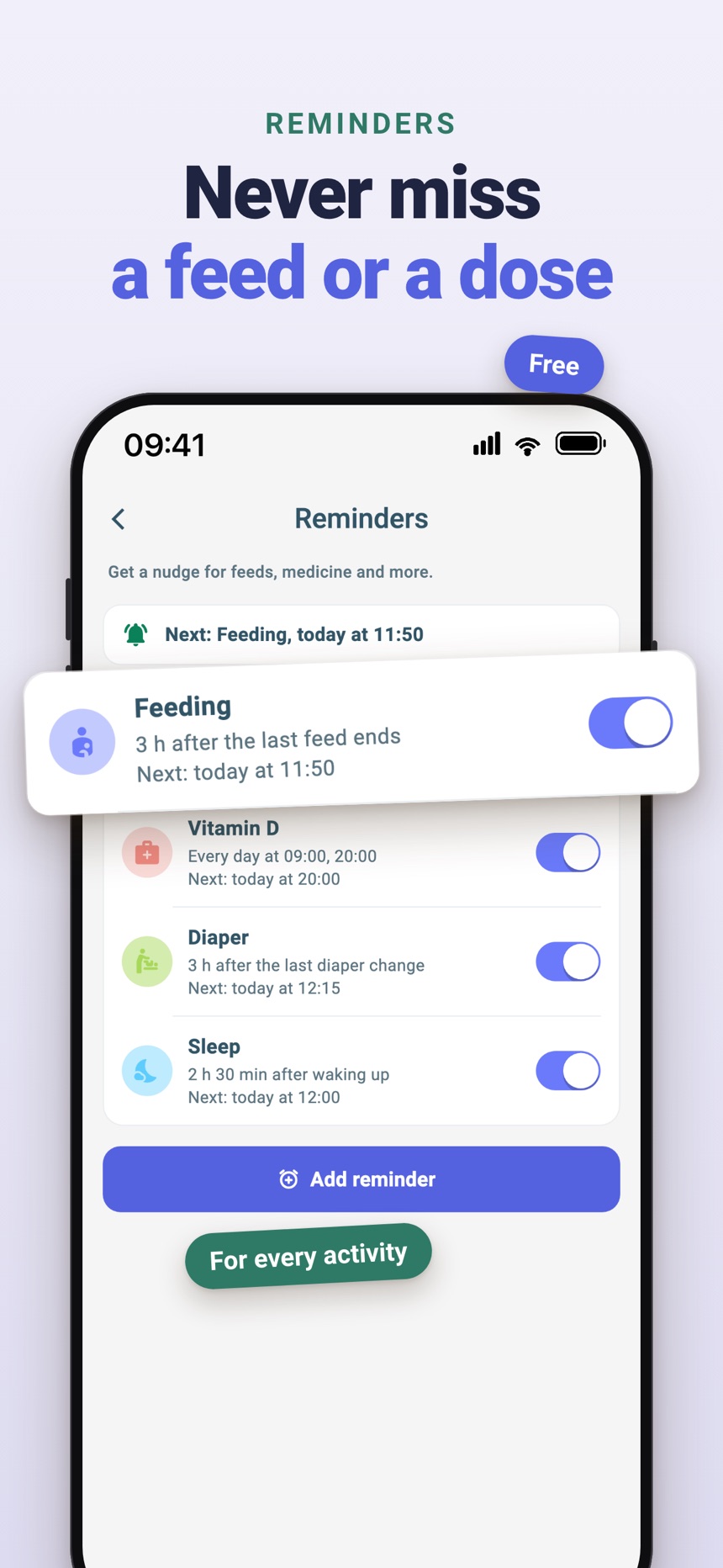
- Start and end a sleep in one tap, including from the Lock Screen and Dynamic Island on iPhone.
- From 3 months of age, the Sleep Time card estimates when the next nap is due.
- Feeds and diapers sit in the same daily summary; FeedRight Premium, an optional subscription, adds a daily sleep score, 7 and 28 day statistics, and family sync.
Get the app on the App Store or Google Play.
Frequently asked questions
What should I track in a baby sleep log?
Start with when each nap and night stretch begins and ends, night wakings, and feeds around sleep. Add short notes only for unusual days, such as illness or travel.
How long does it take to see a baby sleep pattern?
Many parents start to see a rough rhythm after about a week of simple logging. Patterns keep shifting through the first year, so look at broad trends rather than single naps.
Can a sleep tracker app make my baby sleep better?
Not directly. A tracker shows what is already happening, which can help you adjust nap timing or bedtime one small step at a time. It does not replace sleepy cues or advice from your pediatrician.
Is a short nap a problem?
Usually not. Short naps, including ones under 30 minutes, are common in babies and often normal. Talk to your pediatrician if sleep changes come with feeding trouble, unusual sleepiness, or anything that worries you.
What is a wake window?
A wake window is the stretch of awake time between two sleeps. Wake windows are short in the newborn weeks and gradually get longer as babies grow, so watch your baby’s sleepy cues alongside the clock rather than a fixed number.
How much sleep does a baby need?
Sleep needs change with age and vary from baby to baby: newborns sleep many hours in short stretches, and total sleep slowly decreases and shifts toward the night over the first year. Your pediatrician can tell you whether your baby’s sleep looks typical.