
Sleep logging doesn’t require perfect timestamps; it requires a record you can actually keep when you’re tired. The real problem is usually not a lack of sleep data. It is trying to remember what happened overnight, which nap ran long, or whether a new routine is starting to stick.
Quick answer: The best sleep log tool is the one you can update in a few seconds with one hand. A paper notebook, a phone note, or a spreadsheet works for simple routines. Apple Health and adult sleep apps suit your own nights, while a family baby tracker suits naps, wake-ups, and shared care. Start with sleep start and end times.
This guide is general information, not medical advice. Every baby is different, so ask your pediatrician or health visitor about your own baby.
Disclosure: Digital Traffic Labs makes FeedRight. We mention it where it fits and explain our criteria, so you can judge every option for yourself.
How do the six sleep log tools compare?
| Tool | Best for | Trade-off |
|---|---|---|
| Paper notebook | Always visible, no battery, no distractions | Hard to search and spot patterns later |
| Phone Notes app | Quick, familiar one-line entries | No consistent fields or totals |
| Spreadsheet | Reviewing several days at once | More setup and attention |
| Apple Health | Bringing your own health and sleep data together on iPhone | Less of a fast, focused routine log |
| Sleep Cycle | Adults paying attention to their own nights | Not built around a baby’s day |
| Huckleberry | Family routine tracking on a phone | Broader than you may need if sleep is the only focus |
What is a sleep log?
A sleep log is a simple record of when sleep starts and ends, along with details that help explain the routine. For a baby, that may mean naps and overnight wake-ups; for an adult, it may be bedtime, wake time, and a quick note about the day.
Unlike rebuilding the night from memory, a consistent sleep log lets you notice changes while the details are still clear. The goal is not a perfect report. It is a useful trail of information for tomorrow. If you want a step-by-step approach for little ones, see how to record baby naps without making it a chore.
Which simple sleep log tool should you start with?
A sleep log should lower friction, especially for parents who are already doing a lot at odd hours. Before choosing an app with charts, reminders, and settings, ask one practical question: can you record an entry in a few seconds with one hand?
Paper notebook
For some people, a paper notebook wins. It is always visible, needs no battery, and does not invite distractions. The trade-off is that paper is harder to search later, and a page of rushed notes can make patterns difficult to see.
Phone Notes app
A phone’s built-in Notes app is another honest choice. It is quick, familiar, and flexible enough for a short line such as “asleep 8:10” or “woke twice.” It becomes less helpful when you want consistent fields, totals, or a clear day-by-day history.
Spreadsheet
A spreadsheet can work well for someone who likes reviewing several days at once. It gives you control over the categories you track, but it asks for more setup and attention than many families can spare during a busy week.
How do sleep apps differ from baby trackers?
The best sleep log tools do not all solve the same problem. Some collect data from a device, some help adults reflect on their own schedules, and others make it easier to record a child’s daily routine as it happens.
Apple Health
Apple Health’s strength is that it can bring health and sleep-related information together on an iPhone. If you already use compatible devices or apps, it may reduce the need to check several places.
That convenience can also make it feel less like a dedicated log. It fits people who want a broader personal health record better than someone who wants a fast, focused routine tracker with only the details that matter to them.
Sleep Cycle
Sleep Cycle focuses on personal sleep sessions and sleep habits. It is aimed at adults who want to pay closer attention to their own nights rather than document a household routine.
That focus may not suit a parent trying to capture naps, feeds, diaper changes, or handoffs between caregivers in one timeline. A tool built around your own sleep and a tool built around a baby’s schedule are different jobs, even if both include the word “sleep.”
Huckleberry
Huckleberry’s strength is family-focused routine tracking. Parents who want to log a child’s day from a phone may appreciate having sleep as part of a broader picture.
The trade-off depends on how simple you want things. A broader tracker is useful when you want several routines in one place, while a more focused tool may feel calmer if sleep is the only detail you need right now.
How do you choose by the question you need answered?
A good tool follows the question you are trying to answer. If you only need to know whether your own bedtime is drifting later, a personal sleep app or Apple Health may be enough. If you are comparing several days of a baby’s naps, choose something that makes start and end times easy to scan. Our guide to tracking a baby sleep schedule shows what to look for over a week.
For shared caregiving, clarity matters more than clever features. Pick a log that makes it obvious what was entered, when it happened, and what still needs recording. If another caregiver cannot understand the record at a glance, the system will be harder to keep up.
Decide how much detail is useful. Start with sleep start time, wake time, and naps. Add notes only when they answer a repeated question, such as whether an unusual day affected the routine. A smaller log that gets used beats a detailed log abandoned after two days.
What small setup makes a sleep log stick?
Choose one place for entries and use the same labels each time. For example, write “asleep,” “awake,” and “nap” instead of changing your wording from day to day. Consistent labels make a basic note far easier to review.
Set a low bar for success. Missing an entry does not ruin the log, and you do not need to backfill every minute. Record the next event you remember and keep going. The point is to reduce mental load, one nap time at a time.
If sleep concerns feel persistent or affect a child’s well-being, a log can help you organize what you have observed before talking with your pediatrician or health visitor. It is a record for that conversation, not a substitute for professional guidance. For general background, the AAP’s HealthyChildren baby sleep pages and the NHS guide to helping your baby sleep are good starting points.
How FeedRight helps
FeedRight Baby Tracker is our baby tracker for iPhone, Apple Watch and Android. It logs sleep next to feeds and diapers in one tap, so naps sit in the same timeline as the rest of the day. Find FeedRight on the App Store or Google Play.
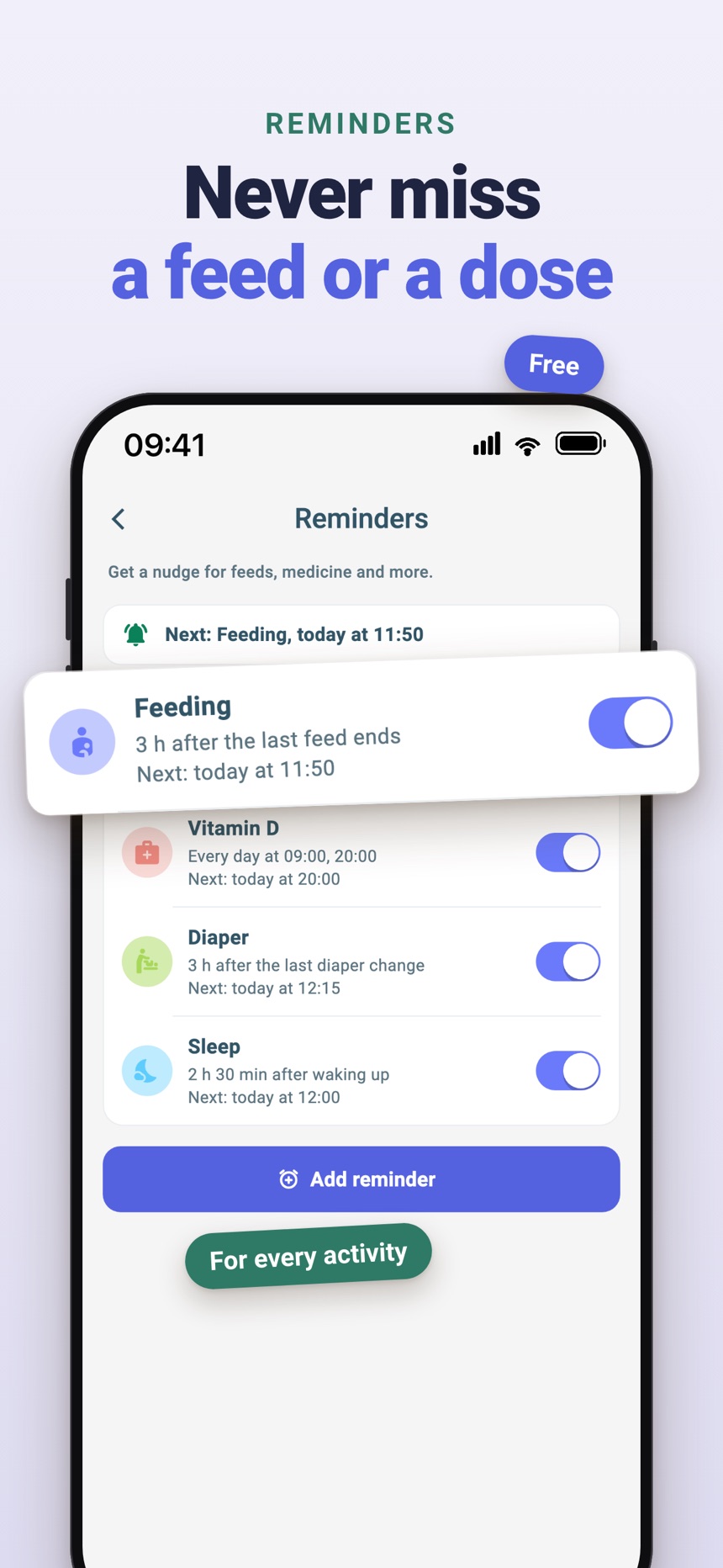
- Live sleep timers on the iPhone Lock Screen and Dynamic Island.
- A next-nap estimate on the Sleep Time card from 3 months of age.
- Daily summary and history for free; FeedRight Premium adds 7 and 28 day statistics and a daily sleep score.
Frequently asked questions
Do I need a dedicated app to keep a sleep log?
No. A notebook, Notes app, or spreadsheet can work well when the routine is simple. A dedicated app helps most when you want faster entries, a clearer timeline, or an easier way for more than one caregiver to stay on the same page.
What should I track in a sleep log?
Track only what helps you make sense of the routine. Start and end times for sleep and naps are often enough to begin; short notes help when something unusual changes the day.
Are sleep tracking tools useful for adults and babies in the same way?
Not always. Adult-focused tools often center on personal sleep sessions, while baby and family tools are usually designed around quick routine entries and shared daily context. Choose the one that matches the question you need answered.
How long should I keep a baby sleep log before looking for patterns?
A few days to a week of simple entries is usually enough to see a rough rhythm. Look at the overall shape rather than single nights, and bring any concerns to your pediatrician.
Can I use a spreadsheet as a baby sleep log?
Yes. A spreadsheet works well if you like reviewing several days at once and choosing your own categories, but it takes more setup and attention than a notebook or a baby tracker app.
Is Apple Health good for tracking a baby’s sleep?
Apple Health is built around your own health and sleep data on iPhone, so it fits tracking your own nights better than a baby’s naps and wake-ups. A baby tracker or a simple notebook is usually easier for logging a baby’s sleep.