

Saving something for later doesn’t make it easy to find later; it often turns a useful link into another forgotten browser tab. That is the real reason people look for read later alternatives: they want a place where recipes, long articles, shopping research, and small discoveries can wait without taking over their day.
Quick answer: The best read later alternative depends on what you save. Choose a reader-first app if finishing articles matters most, a bookmark organizer if you save many kinds of links, and a browser reading list or notes app if you want almost no setup. The right choice is the one you will still open when you have five quiet minutes.
Disclosure: Digital Traffic Labs makes SocialMarks. We mention it where it fits and explain our criteria, so you can judge every option for yourself.
What is a read later app?
A read later app is a tool for saving web pages so you can return to them at a better time, often in a cleaner reading view. Some focus on articles, while others are built to collect, tag, and organize any kind of link.
| Type of tool | Best for | Watch out for |
|---|---|---|
| Reader-first app | Long articles and essays you plan to finish | Recipes, places and products fit less naturally in a reading queue |
| Bookmark organizer | A mixed library of links you want to find again | Too many collections can turn saving into a chore |
| Browser reading list | Quick saves while you browse, with no new app | Saves blend in with tabs, history and old bookmarks |
| Notes app | Links that need a sentence of context | Less pleasant for actual reading |
| Email to yourself | Moving a link between devices | Saves get buried under receipts and newsletters |
App features, platforms and pricing change, so check the current app listing before you choose any specific tool.
How do you choose a read later alternative?
Start by asking what you actually save. If nearly every saved item is an article you intend to read, a reader-first app will feel calmer than a giant bookmark library. If your list includes travel spots, gifts, videos, work references, and recipes, organization matters as much as reading mode. Our guide to the best app to save links covers that broader case.
Unlike default browser behavior, a dedicated saving approach lets you separate links worth keeping from tabs you only opened for a moment. That small boundary can make your phone feel less like a pile of unfinished errands.
Also be honest about your follow-through. Tags, folders, highlights, and queues can be useful, but they become extra work if your real need is simply tapping Save and finding the item later. Simple tools that people actually use tend to beat elaborate systems abandoned after a busy week.
1. Instapaper for focused article reading
Instapaper’s strength is its reading-centered experience. It is a sensible fit for someone who saves essays, news analysis, and how-to articles, then wants to read them without the clutter of the original site.
The trade-off is that a reading queue is different from a personal library. A product page, a funny video, and a restaurant menu can all be saved, but they do not belong in the same pile as tonight’s essay. Choose it when articles are the main event.
2. Matter for a curated reading habit
Matter suits people who want their reading list to feel intentional rather than endless. It can work well for someone who saves fewer pieces and wants a dedicated place to return to thoughtful writing.
That focus may not fit every link-saving habit. If you regularly collect practical items you need to retrieve quickly, such as a booking page or a recipe for tonight, a broader bookmark tool may require less sorting and remembering.
3. Raindrop.io for visual organization
Raindrop.io’s strength is organization. Collections and visual bookmarks make it a natural option when you save a mixed bag of useful links and want to group them by project, interest, or life category.
The extra structure comes with a choice: you need to decide how much of it helps you. A few broad collections are easy to maintain. Building a detailed filing system for every link can turn saving into a chore.
4. GoodLinks for an Apple-first reading list
GoodLinks is a thoughtful choice for people who mainly use Apple devices and want a focused place for saved pages. Its appeal is straightforward: it keeps saving and reading close to the devices already in your hand.
Its platform focus is also the limitation. If you switch regularly between different phone and computer systems, a tool that runs everywhere you work may be more practical.
Which low-setup alternatives work without a new app?
Not everyone needs another app. These options work well if your saved-link problem is small, temporary, or mostly tied to one device.
5. Your browser’s reading list
A browser reading list is the easiest starting point. It sits right next to the page you are viewing, which removes friction. The downside is that saved items can blend into the same browser space as open tabs, history, and random bookmarks. Our post on the best Pocket alternative for saving links compares it with dedicated apps.
6. A notes app with a sentence of context
A notes app works when context matters more than collecting. Save the link beside a sentence explaining why it matters: “weeknight pasta idea,” “gift research for Dad,” or “read before next client call.” This is less polished for reading, but the note can make a link far more useful later.
7. Emailing yourself as a temporary inbox
Emailing yourself a link is still a valid temporary inbox, especially when you need to move something between devices. Just give it a limit. If the inbox becomes permanent storage, important links disappear under receipts, newsletters, and messages that need an answer.
How do you keep a saving habit small?
The tool matters less than one clear rule. Try saving links into only two buckets: read soon and keep for later. The first bucket is for articles you genuinely expect to finish this week. The second is for references, ideas, and pages you may need again. Videos follow the same rule, and our guide on how to save links to watch later shows how.
Review the read-soon bucket before adding more. If it has grown past the point where it feels inviting, delete a few items without guilt. Saving a link is not a promise to complete homework. It is simply a way to protect a useful idea from getting lost.
For long-term links, use names that match how you will search later. “Baby birthday gift ideas” is easier to retrieve than “stuff.” “Easy dinners” is better than a folder called “miscellaneous.” A tiny amount of naming now prevents a lot of scrolling later, and it is the core of a good mobile link saver habit.
How SocialMarks helps
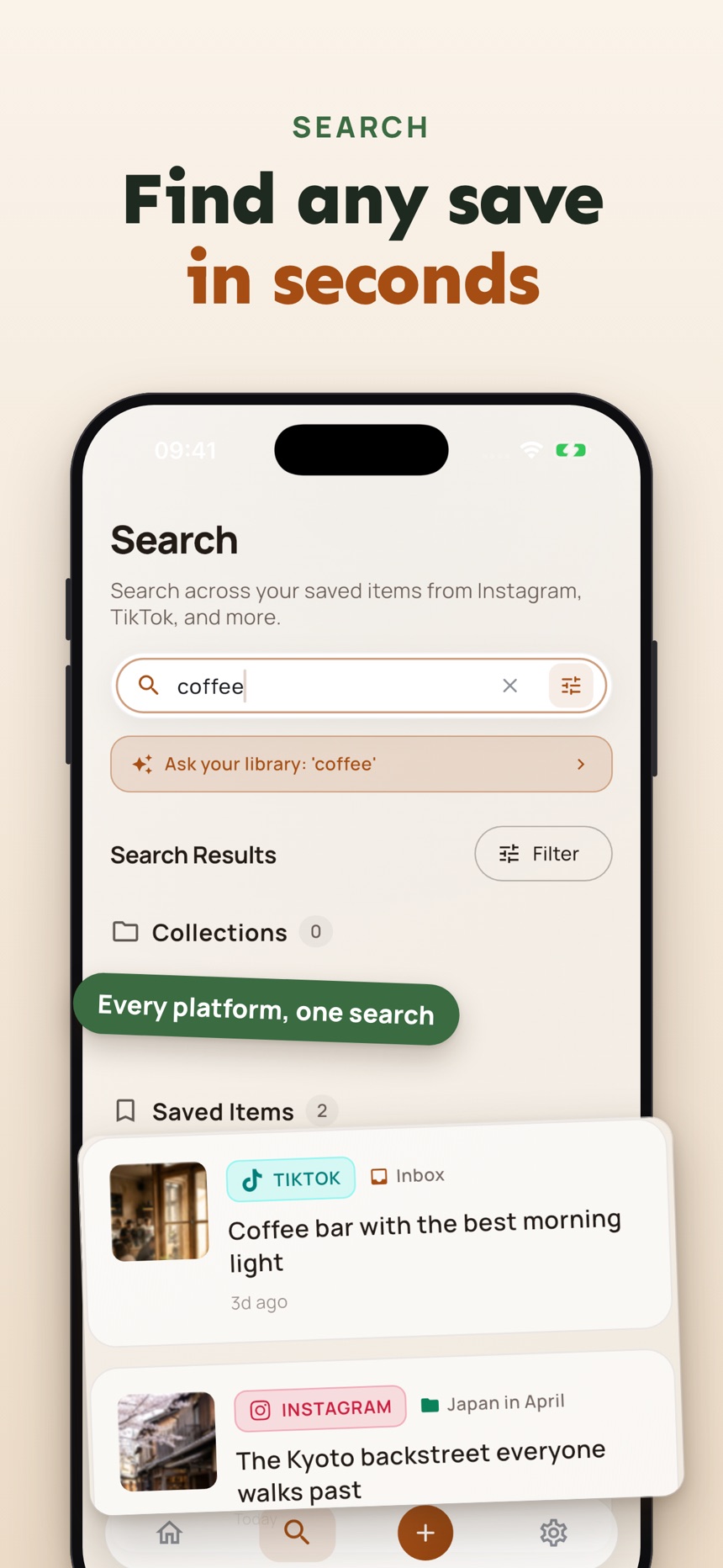
Many of the links people save today are not articles at all. They are Reels, TikToks and YouTube videos with a recipe, a place or a product inside. SocialMarks is our iPhone app for exactly that: share a post or link to it, and it reads the caption, audio and video (after you agree) and turns the save into a recipe, places on a map, or an organized, searchable item. It is free to use with no ads and no account. Visit the SocialMarks page or get it on the App Store.
- Saves from Instagram, TikTok, YouTube, Pinterest, Reddit and any web link through the share sheet.
- Search across everything you saved, from every app, in one place.
- Collections, plus a Private Vault locked with Face ID or Touch ID.
Frequently asked questions
Is a read later app better than browser bookmarks?
It depends on what you save. A read later app is usually better for articles you plan to read in a cleaner format, while browser bookmarks are fine for quick, occasional references. A bookmark organizer makes more sense when you want to keep many types of links over time.
Should I organize every saved link with tags?
No. Tags are useful when they help you retrieve something, not when they create another task. Start with a few broad categories or none at all, then add structure only after you notice a repeated need.
Can I use more than one read later tool?
Yes, but give each one a job. For example, use one place for articles to read soon and another for links you want to keep as references. Two clear destinations are easier to maintain than several overlapping inboxes.
What is the simplest read later alternative?
Your browser’s built-in reading list or bookmarks. They need no new app and no account, which makes them a good starting point if you save only a few links a week.
What is the best read it later app?
There is no single best read it later app: reader-first apps such as Instapaper suit people who mainly finish articles, while bookmark organizers such as Raindrop.io suit mixed libraries of links. Pick the one you will still open when you have five quiet minutes.
What is a read later app?
A read later app saves web pages so you can return to them at a better time, often in a cleaner reading view. Some focus on articles, while others collect, tag and organize any kind of link.