

Saving a link doesn’t make it useful later; it often sends it into the same black hole as every other open tab. A mobile link saver solves the real problem: not finding interesting things, but finding the right thing again when you actually have time to read, cook, buy, watch, or share it.
Quick answer: A mobile link saver is an app that gives the links you mean to revisit a home outside your browser. You send a page to it from your phone’s share menu, add a word of context if it helps, and find it later by search or a broad category. It replaces piles of open tabs, screenshots and messages to yourself with one place you trust.
What is a mobile link saver?
A mobile link saver is an app or feature that stores web links from your phone so you can return to them later. The useful ones make saving fast and organizing optional, rather than turning a simple bookmark into a project.
Unlike leaving everything open in a browser, a mobile link saver lets you clear your tabs while keeping the things you wanted to remember. If you are still comparing options, our guide to the best app to save links covers what to look for.
Why do browser tabs stop working as a reminder?
Tabs are great for the next few minutes. You compare two products, check a restaurant menu, or follow a recipe while your hands are busy. The trouble starts when a tab becomes a reminder for later.
A browser does not know whether that open page is something you need, something you are considering, or something you finished reading last week. After enough browsing, all those tabs carry the same visual weight. The useful recipe sits beside a shipping confirmation, an accidental search result, and a page that no longer loads.
Bookmarks can have the opposite problem. They feel more permanent, so people save links with good intentions and never look at the bookmark list again. If your system requires folders, perfect labels, and a cleanup session before it works, it is probably asking too much from an ordinary Tuesday.
The goal is not to build a personal library catalog. It is to reduce the small friction between seeing something worth saving and using it at the right moment.
What makes a link worth saving?
Not every page deserves a permanent place. A link saver works best when it holds items with a future purpose: a weekend recipe, a gift idea, a local service, a video to watch after bedtime, a long article, or a product you want to compare before buying.
The key question is not “Is this interesting?” It is “Will I want this again when the page is no longer in front of me?” That small distinction keeps your saved collection useful instead of becoming another feed to scroll.
For many people, the most valuable saved links are practical rather than aspirational. A contractor recommendation, a packing list, a school event page, or a how-to video can matter more than a hundred articles saved for a someday that never arrives.
How do you build a simple link-saving habit on your phone?
The easiest habit is to save first and organize lightly. When you see something you expect to revisit, use your phone’s share menu to send it to one dedicated place. On iPhone, that is the share sheet in almost every app, and our post on how to save links on iPhone walks through the options.
- Tap Share on the page, post or video and send it to your one link saver.
- Add a few words only if the title will not explain itself later, such as “Friday dinner” or “compare size.”
- Keep things you need today apart from long-term references, with a short “this week” list or a single tag.
- Pick a return point: a weekly meal-planning session, a quiet moment on the couch, or five minutes while waiting in line.
A small amount of context can be enough. If you save three pasta recipes, a short label such as “Friday dinner” is more useful than a perfectly structured recipe folder. If you save a product, a note such as “compare size” can save you from reopening the page later and wondering why it mattered.
Some people use a temporary list for current errands and a longer-term collection for ideas and references. Others prefer tags or simple folders. Neither approach is universally better. The right choice depends on whether you mostly save links for action or for inspiration. A saver can hold the link, but only a small revisit routine turns it into something useful.
How much organization does a link saver need?
There is a trade-off between speed and order. Save every link with no sorting, and finding older items can get harder. Add too many categories, and saving becomes annoying enough that you go back to leaving tabs open.
Start with broad groups that match your real life. Ideas like Read, Watch, Recipes, Shopping, Home, and Travel are usually easier to recognize than a long set of highly specific labels. You can always add a category later when a clear pattern appears. For a fuller system, see how to organize saved links without clutter.
Search matters for the same reason. A collection is much more forgiving when you can type a word from the title, source, or note and get back to the page quickly. This is especially helpful when you remember the subject but not the exact name of the site.
Avoid organizing around an ideal version of yourself. A detailed folder for every hobby sounds tidy, but it may not match how you reach for your phone in real life. Build around the moments when you save and retrieve links most often.
Privacy, accounts and other practical trade-offs
Before choosing a link-saving method, consider where you want your saved information to live. Some tools use an account so collections can follow you across devices. Others keep more of the experience on one device. Neither is automatically right for everyone.
An account can be helpful if you move between a phone, tablet, and computer. A simpler local approach may appeal if you only use one device and want fewer sign-in steps. Check the app’s current settings and privacy information before saving anything sensitive.
It is also worth remembering that a saved link is not always a saved copy. Websites change, pages disappear, and paywalls can move. If a page contains information you truly need to keep, our guide on how to archive web links without losing them explains when a copy is worth it. For everyday links, a title, URL, and a quick note are usually enough. The point is not to preserve the whole internet. It is to preserve your intent.
When is a mobile link saver not the right tool?
A link saver will not replace every kind of note-taking. If you need to write a project plan, track household tasks, or store detailed research, a notes app or task manager may be a better fit. Use the tool that matches the job, rather than making one app carry every piece of your digital life.
Similarly, if you only need a page for the next hour, leaving it in a tab is fine. There is no prize for saving everything. The better habit is selective: save what has a real chance of helping future you.
That is also why a focused link collection can feel calmer than an endless read-later queue. You are not creating homework. You are keeping a short trail of things you chose on purpose.
Each tool has its own job:
| Tool | Use it for |
|---|---|
| Open tab | A page you need in the next hour |
| Browser bookmarks | Permanent sites you visit repeatedly |
| Mobile link saver | Pages and ideas you want to revisit with a little context |
| Notes app or task manager | Project plans, household tasks and detailed research |
| Saved copy of the page | Information you truly need to keep |
How SocialMarks helps
We built SocialMarks as a mobile link saver for iPhone that does a little more than hold the link. Share a post or page to it from Instagram, TikTok, YouTube or the web, and it reads what you saved (after you agree), so a cooking video becomes a recipe and a travel post becomes places on a map. You can use it free, without ads or an account. Learn more on the SocialMarks page or download it from the App Store.
- Recipes with ingredients, a step-by-step Cook Mode and a shopping list.
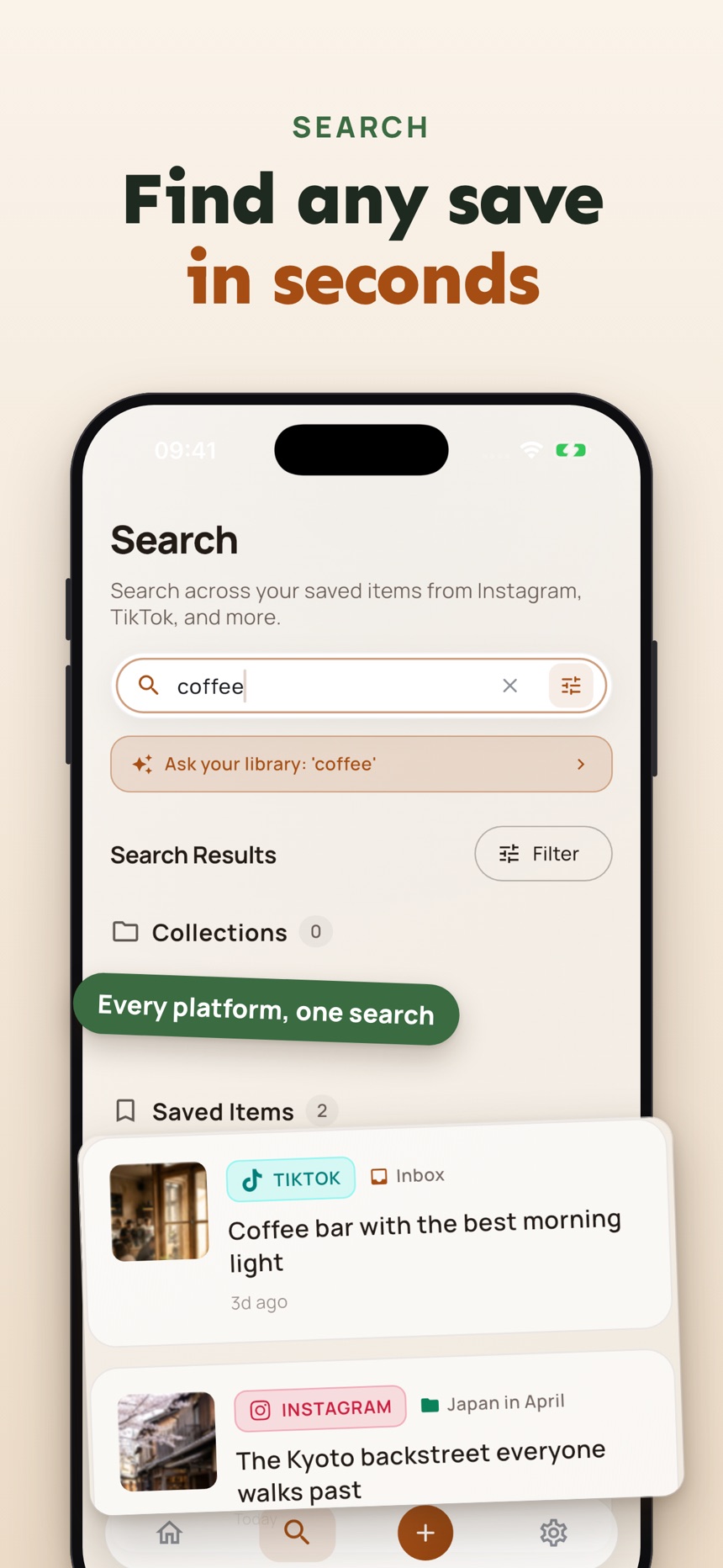
- Search across everything you saved, plus collections that stay simple.
- A Private Vault locked with Face ID or Touch ID for saves you want to keep to yourself.
Frequently asked questions
Is a mobile link saver different from browser bookmarks?
Usually, yes. Browser bookmarks are useful for permanent sites you visit repeatedly, while a mobile link saver is better for individual pages, temporary ideas, and links you want to revisit with a little context.
Should I organize every link when I save it?
No. Save quickly first. Add a short note, tag, or category only when it will make retrieval easier later. Too much organization at the point of saving is one reason people abandon the habit.
Can I use a mobile link saver for shopping and recipes?
Yes. These are two of the clearest use cases, because both often involve returning to a page later, comparing options, or using the link at a specific time.
Does saving a link keep a copy of the page?
Not usually. A saved link points to the live page, which can change or disappear. If the exact content matters, save the key details or a copy as well.
Do I need an account to use a mobile link saver?
Not always. Some link savers use an account so collections follow you across devices, while others keep your saves on one device with fewer sign-in steps. Check the app’s privacy information before saving anything sensitive.
What kinds of links are worth saving on a phone?
Save links with a future purpose, such as a weekend recipe, a gift idea, a local service, a video for later or a product to compare. If you only need a page for the next hour, leaving it open in a tab is fine.