
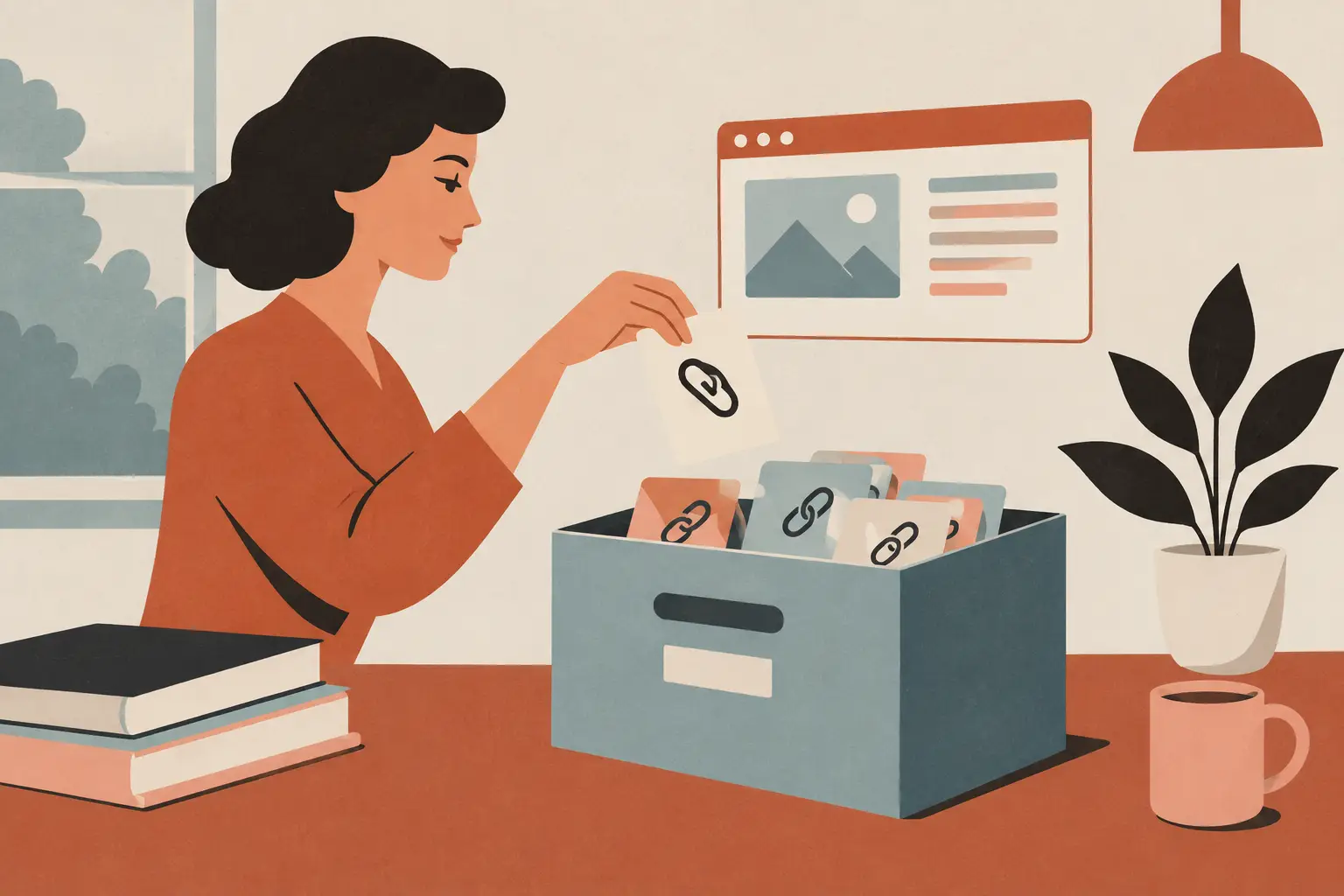
A saved link doesn’t stay useful forever; it gets buried under open tabs, vague bookmark folders, and the promise that you’ll come back later. The real problem behind archiving web links is not a lack of places to save them. It is having a simple habit that makes the right link findable when you actually need it.
Quick answer: To archive web links without losing them, save every link to one dependable place, give each one a few words of context, and review your saves often enough to keep them useful. Use a plain link for everyday pages and save a copy only when the exact content matters, because a link points to a page that can change or disappear.
What is web link archiving?
Web link archiving is the practice of saving a webpage’s address, along with enough information to find and understand it later. It can mean keeping a bookmark, a reading-list item, a note with a URL, or a saved copy of the page when the content itself needs to be preserved.
Unlike leaving pages open in browser tabs, link archiving lets you close the clutter while keeping a clear path back to what mattered.
What are you trying to save?
Not every link deserves the same treatment. A recipe you may cook this weekend, a gift idea for a birthday, a long article for later, and a reference page you return to every month all have different jobs. If every saved page goes into one bottomless folder, the system becomes another version of an overloaded tab bar.
Before picking an app or folder structure, separate links by how you expect to use them. Some are temporary reading. Some are useful references. Some are ideas to revisit. Some are records you may need to keep because the page could change or disappear. That distinction helps you choose whether a basic bookmark is enough or whether you need a more permanent archive.
A good rule is simple: save the link where you will naturally look for it. If you plan meals on your phone, a recipe belongs in your personal link collection, not in a desktop-only browser folder. If a page supports a project, keep it with the project rather than alongside every random article you liked once.
Why use one inbox for newly saved links?
The fastest way to lose a link is to make yourself decide too much at the moment you save it. You are standing in line, half watching a toddler, or scrolling before bed. That is not the moment to design a perfect category tree.
Create one inbox, such as Saved, Review Later, or Incoming. Every interesting link can land there first. This keeps capture quick, which is the part of the system that needs to work every time.
Then set aside a small, realistic moment to sort the inbox. It might be while waiting for coffee or during a quiet break. The goal is not a weekly productivity ritual with fifteen rules. It is simply to move the useful links into a few clear homes and delete what no longer matters. Our guide on how to organize saved links without clutter covers that sorting step in more detail.
How many categories does a link archive need?
People often abandon bookmark systems because they build too many folders too early. A category is only helpful if you can remember it without stopping to think. Start with the types of links you repeatedly save in everyday life.
For many people, that could be Reading, Recipes, Shopping, Travel, Home, Parenting, Work, and Ideas. Your labels should sound like words you would use in a conversation. If a link could fit in two places, choose the first place you would look for it later. Consistency beats perfect classification.
You can also use short tags when a link crosses categories. A packing checklist might live in Travel but carry a family tag. A helpful article about a home project might go in Home with a weekend tag. Keep tags optional, though. If adding them makes saving feel like admin work, skip them.
Name links for your future self
A page title is not always useful. Search results, stores, and social platforms often produce titles that are too long, too generic, or full of promotional language. A quick note can make a saved link much easier to recognize later.
Instead of keeping a page under the site’s own headline, rename it with the reason you kept it: “Pasta recipe for busy nights” or “Bathroom paint colors to compare.” For a work-related resource, add the project name and what it answers. A few plain words are enough.
This matters especially when you save links from social feeds. The post that led you to a page may vanish from your memory even if the page remains online. Your note preserves the context that made it worth saving.
Should you use bookmarks, read-later tools or page copies?
Each option fits a different kind of link. This quick comparison sums up the trade-offs:
| Method | Best for | Main limit |
|---|---|---|
| Browser bookmark | Pages you visit repeatedly | Folders get hard to browse, especially across several browsers |
| Link organizer app | Everyday references, ideas and recommendations saved on your phone | One more app to choose and keep using |
| Read-later tool | Long articles and essays | Less suited to permanent personal references |
| Saved copy of the page | Content whose exact wording or layout matters | Takes more storage and may miss interactive features |
A browser bookmark is fast and familiar. The downside is that bookmark folders can become hard to browse, particularly if you save from several browsers or switch phones.
A dedicated link organizer is useful when you want a clean collection built around topics, quick search, and phone-first saving. It works well for everyday references, ideas, recommendations, and pages you want to send to yourself later without mixing them into browser history.
Read-later tools suit long articles and essays. They help you separate intentional reading from everything else you save. But they are less helpful for links you want to keep as a permanent personal reference, such as a contractor’s page, a packing list, or a favorite local guide.
Saving a copy of a webpage is different from saving a link. A link points to content that may change, move, or disappear. A saved copy can preserve the page as it looked at that time. Use copies for information where the original wording or layout matters, and use regular link archiving for the everyday pages you simply want to find again.
How do you save links from the apps you already use?
The best archive is the one you can add to without breaking your flow. Check whether your chosen method works from the phone share menu, your browser, and the apps where you discover most links. If saving requires copying a URL, opening another app, choosing three fields, and filing it perfectly, it probably will not last. On iPhone, our post on how to save links on iPhone lists the fastest routes.
Aim for a short path: share, save, add a label only when helpful. Later, organize the links that earned a longer-term place. This two-step approach respects real life. You can catch the useful page now and make it tidy when you have more attention.
If you use more than one device, test retrieval as well as saving. Can you find a saved link on the device you reach for most often? A collection that is technically synced but awkward to search is still frustrating when you need a page quickly.
How do you keep the archive from becoming a junk drawer?
Archiving is not the same as keeping everything forever. A link collection stays useful when it reflects what you care about now. Broken pages, expired sales, finished projects, and ideas that no longer fit can all go.
A light review every so often is enough. Open your inbox, process what is still useful, and remove the rest. You do not need to read every article or inspect every old folder. Focus on the places that are growing fastest.
For links you truly want to keep long term, add a date or a short note about why they mattered. This is especially helpful for research, instructions, or inspiration you may revisit months later. The note turns a pile of URLs into a collection with memory.
Which habits make saved links disappear?
The biggest mistake is treating open tabs as an archive. Tabs are for what you are using now, not for everything you might someday need. They slow down browsing, create visual noise, and make the useful page indistinguishable from the accidental one.
Another common mistake is saving the same kind of link in too many places: browser bookmarks, screenshots, text messages to yourself, notes, and social app saves. A little overlap is fine, but too many storage spots create a scavenger hunt. Pick one primary home for personal links, then use the other tools for their specific strengths. If you are still choosing that home, see our guide to the best app to save links.
Finally, do not overbuild. You do not need a complex database to save a restaurant recommendation or a tutorial you want to try. A small number of categories, a quick inbox, and searchable names will carry most people much further than a detailed system they stop using after a week.
How SocialMarks helps
SocialMarks is our iPhone app for keeping an archive of the links you find on your phone. Share a post or page to it from Instagram, TikTok, YouTube or any website, and it reads what you saved (after you agree), so each save becomes a recipe, a place, a product or another clear type you can search later. It is free to use with no ads and no account, and your library is stored on your device. Read more on the SocialMarks page, or download it from the App Store.
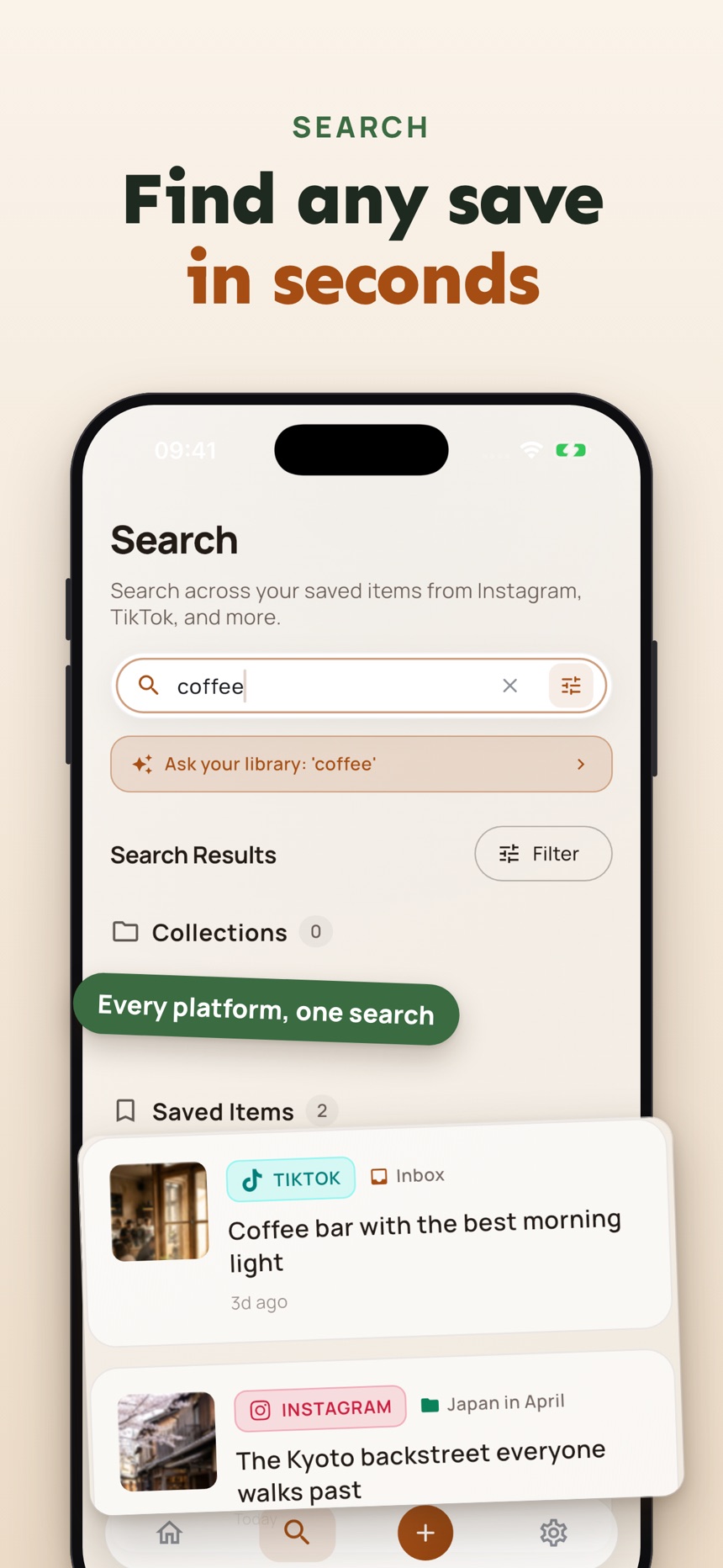
- A dead link check shows which saves no longer load.
- Search across everything you saved, from every app.
- Collections and tags that come from what the post actually says.
The right archive should fade into the background until the moment you need it. Save the useful page, add just enough context, and get back to your day.
Frequently asked questions
Is bookmarking the same as archiving web links?
Bookmarking is one form of archiving, but archiving usually adds a little more intention. A useful archive makes links easier to retrieve through categories, names, notes, or a regular review habit.
Should I save a webpage or just save its link?
Save the link for everyday reference pages and pages you expect to remain available. Save a copy when preserving the exact content matters, since a webpage can change or disappear after you save its address.
How many categories should I use for saved links?
Use only enough categories to make finding feel easy. Start with a few familiar topics, then add another only when a group of saved links is genuinely hard to browse.
What happens to an archived link if the page is deleted?
The link stops working, because it only points to the original page. That is why it helps to note why you saved it, and to keep a copy of anything you truly cannot lose.
How do I save links so I can find them later?
Save every link to one dependable place, give it a few words of context about why you kept it, and review your saves now and then so they stay useful. A single inbox for new links keeps saving quick.
How do I keep a copy of a webpage?
Most browsers can save a page as a PDF from the print or share menu, and on iPhone you can also take a full-page screenshot in Safari. Keep copies for content whose exact wording matters, and save a plain link for everyday pages.