

The questions of the newborn weeks are rarely philosophical. They are usually: When did the baby last eat? Was that diaper wet or dirty? How long has this nap actually been? A newborn routine app gives tired parents a place to put those answers before they disappear into the blur of night feedings and reheated coffee.
The goal is not to run your baby’s life by the minute. Newborns are not calendars, and the early weeks can be wonderfully unpredictable. The point is simpler: keep a lightweight record of the basics, notice what is changing, and make the next handoff between parents a little easier.
Quick answer: A newborn routine app helps at 3 a.m. by holding the facts your tired brain cannot: when the baby last ate, which side or how much, how long the current nap has lasted, and whether the last diaper was wet or dirty. You log each event in a few taps, both parents see the same record, and the loose daily rhythm becomes easier to spot.
This guide is general information, not medical advice. Every baby is different, so ask your pediatrician or health visitor about your own baby.
Why does the newborn stage need a simple system?
Newborn care is made of small, repeating jobs. Feed. Burp. Change. Settle. Try to sleep yourself. Repeat. Each task is manageable on its own, but remembering the full sequence after several interrupted nights is another thing entirely.
That is where a newborn routine app earns its spot on your phone. Instead of reconstructing the day from memory, you can log a feeding as it happens, start a sleep timer when the baby nods off, and record a diaper change in a few taps. The value is not more screen time. It is less mental bookkeeping.
A simple log also makes conversations more useful. At a pediatrician visit, “I think she has been eating more” becomes “She has taken shorter, more frequent feeds for the last two days.” If one parent has been on baby duty while the other naps, the next person can see what happened without a full recap in the hallway.
What should a helpful newborn routine app track?
Not every family needs the same details. Some parents want to track nursing time on each side. Others bottle-feed and mainly want amounts and feeding times. The best setup is the one you can keep using when you are exhausted.
Here is what each log covers and the question it answers.
| Log | Details worth noting | Question it answers |
|---|---|---|
| Breastfeeding | Start time, duration, side | When did the baby last eat? |
| Bottle | Amount, breast milk or formula | How much, and when? |
| Sleep | Timer start and stop | How long has this nap lasted? |
| Diapers | Wet, dirty or mixed | Has there been a change lately? |
Feeding without extra math
Feeding logs are often the first feature parents use. For breastfeeding, it helps to record the start time, duration, and side used. For bottle feeding, parents may want the amount, whether it was breast milk or formula, and a quick note if something seemed different.
The practical benefit is the next decision. If your baby wakes fussing, you can glance at the last feed instead of guessing whether it has been 45 minutes or three hours. Over a few days, the history may also reveal a pattern, such as a cluster-feeding stretch in the evening. For the overnight part, see how to manage night feeds without losing track.
Do not treat the log as a scorecard. Babies eat more at some feeds than others, and growth spurts happen. A record supports your observations; it does not tell you that normal newborn behavior is wrong.
Sleep that is useful, not obsessive
Newborn sleep can look scattered because it is scattered. Early on, there may not be a tidy bedtime routine or predictable nap schedule to find. Still, recording sleep shows the rhythm that is beginning to form.
A sleep timer helps you answer basic questions: How long has this nap lasted? Was the last wake window especially long? Is the baby consistently harder to settle at a certain time of day? Those clues help you make small adjustments, like starting the wind-down a little sooner.
The trade-off is that sleep data can become stressful if you expect it to produce a perfect schedule. It will not. Use it as a gentle reference point rather than a rulebook, and keep safe sleep basics constant; the American Academy of Pediatrics covers them in its parent’s guide to safe sleep.
Diapers and the details you will forget
Diaper logging may sound like the least glamorous feature imaginable. It is also one of the most useful in the first days at home, when feeding and output are part of the picture you discuss with your care team.
A quick wet, dirty, or mixed diaper record saves you from counting backwards through a foggy day. It also gives both parents confidence that the baby is having regular changes, even when every hour feels the same. If you have questions about what is normal for your baby, ask your pediatrician.
How do you build a routine around the app, not around perfection?
The best newborn routine is usually a flexible loop, not a strict timetable. Your baby eats, has a little awake time, gets changed, sleeps, and starts again. The timing shifts constantly, particularly in the first several weeks. To see what that looks like in a real day, read our real baby routine example.
Use the app to support that loop. Log the event right after it happens, not later when you have a free moment that may never arrive. Keep entries short. If your app needs a detailed note for every feed, it may be asking too much of a new parent.
A good starting point is to track only feeding, sleep, and diapers for a few days. Once that feels automatic, add pumping, medicine, or notes if they are genuinely useful. Starting small is not missing data. It is choosing a system you can sustain.
Decide, too, what does not need tracking. You do not have to record every burp, every bottle wash, or every adorable facial expression. Save those memories in photos or a journal if you want them. The routine log should answer practical questions quickly.
How does a shared log make parent handoffs less chaotic?
A newborn routine app is especially helpful when care is shared. One parent may know exactly when the last bottle happened, while the other knows how long the last nap lasted. A shared record reduces the need to relay every detail out loud.
Before handing off, take ten seconds to log the latest feed or diaper. That tiny habit can prevent the classic 5 a.m. exchange: “Did you already give her a bottle?” “I thought you did.”
If grandparents, a babysitter, or another caregiver helps regularly, agree on a simple approach. A feed time, diaper change, and sleep start are enough. Consistency matters more than detail, and a few caregiver schedule templates can make the plan easy to follow.
When does tracking help, and when can it wait?
Logging is genuinely helpful in the early days after birth, when feeding is being established, when you are trying to remember guidance from your pediatrician, or when two caregivers are trading shifts. It also helps if something changes and you want a clearer picture to share with a medical professional.
But sometimes the phone should stay down. If you are holding a content baby after a hard day, you do not need to interrupt the moment to document every minute. If logging starts making you anxious, simplify what you track or take a break. Your attention and rest matter too.
The same goes for routines. A newborn may have a loose pattern one week and abandon it the next. That does not mean you or the app have failed. It means your baby is growing.
Which newborn routine app should you choose?
A useful newborn tracker should feel calm the first time you use it. Before you settle on one, check that:
- Feeding, sleep, and diaper logs are on the first screen, with large tap targets.
- The last feed and current nap are visible without scrolling.
- It matches how you feed: side tracking for breastfeeding, amounts for bottles.
- A partner or caregiver can see the same daily history.
- Reminders are optional and easy to turn off.
A newborn routine app cannot create sleep, wash bottles, or tell you exactly what every cry means. What it can do is hold the little facts your tired brain should not have to carry alone.
How FeedRight helps
FeedRight Baby Tracker was built around this practical idea: a focused place to log the everyday essentials without turning baby care into another complicated system. The free version needs no account and works offline.
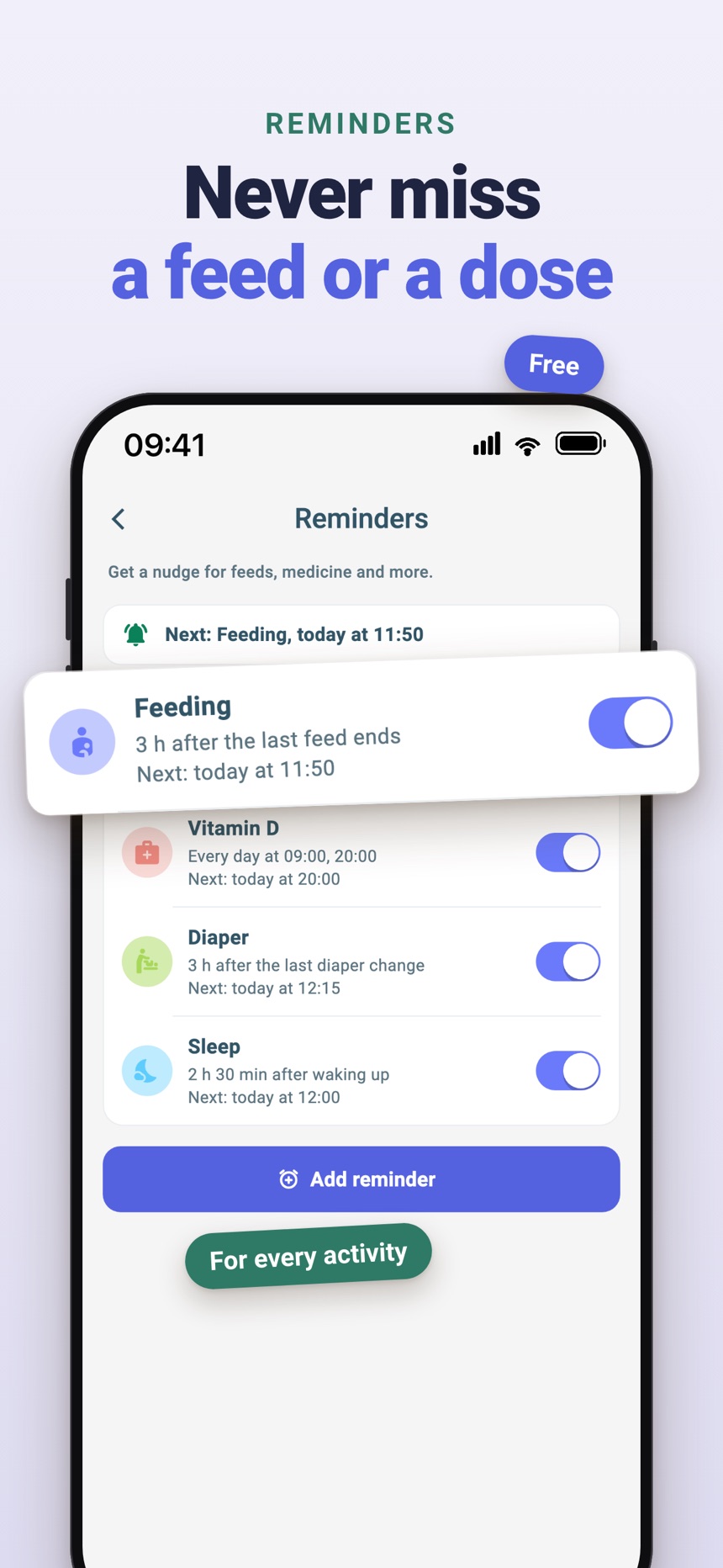
- One-tap logs for feeds, sleep, and diapers, plus a daily summary to look back on.
- On iPhone, live feed and sleep timers on the Lock Screen and Dynamic Island, so you can switch sides or end a sleep without unlocking.
- Partners and other caregivers join by invite code or QR code; FeedRight Premium, an optional subscription, syncs both phones across iPhone and Android.
FeedRight is on the App Store and Google Play.
Frequently asked questions
What is a newborn routine app?
It is a baby tracker for the early weeks that logs feeds, sleep, and diapers in a few taps, so you can see when your baby last ate and how the day has gone without relying on memory.
Do newborns need a strict routine?
No. Newborns usually follow a loose loop of feeding, a short awake time, a diaper change, and sleep, with timing that shifts often. A rhythm tends to form gradually over the first months.
What should I track first in a newborn routine app?
Start with feeds, sleep, and diapers only. Add pumping, medicine, or notes later if they turn out to be useful for your family or your pediatrician.
Can both parents use the same newborn routine app?
Yes, many apps let a partner or caregiver share the log, so everyone sees the last feed, nap, and diaper. Check how sharing works and whether it is part of a paid plan before you commit.
When do newborns start to follow a routine?
Most newborns do not follow a predictable routine in the first weeks; a loose rhythm of feeding, awake time and sleep tends to form gradually over the first months. Logging feeds and sleep makes that rhythm easier to notice when it appears.
Is it normal for a newborn to cluster feed in the evening?
Yes. Many newborns feed often for a few hours in the late afternoon or evening, then sleep a longer stretch. If your baby seems hungry constantly all day or you are worried about weight gain, check with your pediatrician.