
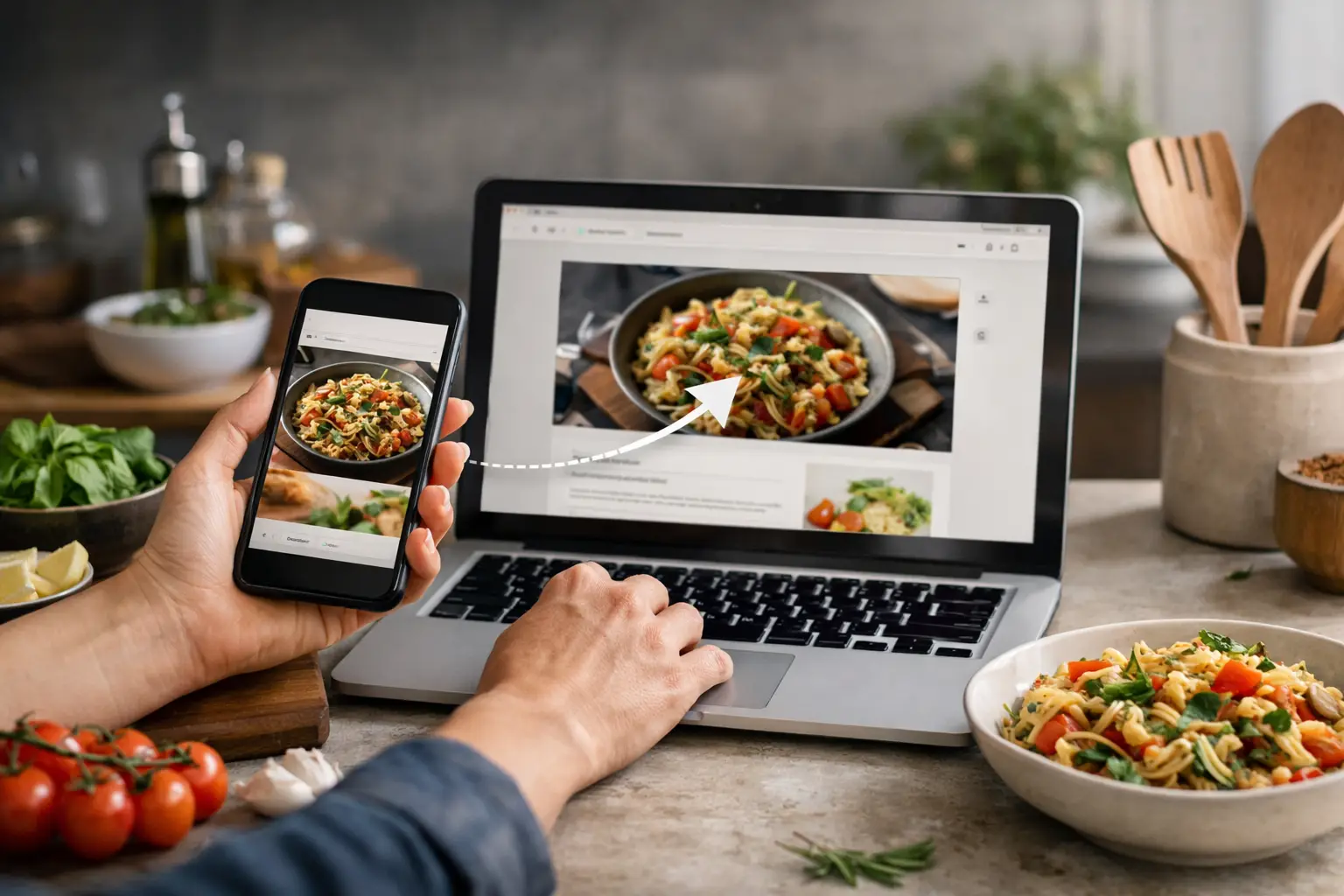
You see a skillet pasta recipe between school pickup and a grocery run. It looks easy, everyone might eat it, and you mean to make it Friday. Then the post disappears into a feed, a group text, or one of 47 open browser tabs. Learning how to save recipe links is less about building a perfect digital cookbook and more about making sure dinner ideas are there when you need them.
Quick answer: To save recipe links without losing them, send every recipe from social media, websites and texts to one place using your phone’s Share button. Add a short note such as “weeknight” or “check ingredients,” sort by the decisions you make on a busy day, and keep a small This Week list for meals you will actually cook.
The best system is the one you can use one-handed while your kitchen timer is going off. Keep it simple enough to save a recipe in seconds, then easy enough to find again when you are deciding what to cook.
Why should recipe links have one home?
The biggest reason recipe collections become messy is that they live everywhere: browser bookmarks, screenshots, saved posts, texts to yourself, and half-remembered videos. Pick one primary place where every recipe link goes from now on.
That could be a bookmark app, a notes app, or a basic browser folder. The tool matters less than the habit. If you usually discover recipes on your phone, choose something that is fast on your phone. A complicated desktop system may look organized, but it will not help much when you are standing in the grocery store.
A focused link organizer can make this especially simple if you save ideas from several social platforms and websites. The point is not to create another chore. It is to give each good recipe a reliable landing spot.
How do you save recipe links from anywhere?
Most recipes arrive from three places: social media, websites, and messages. Use the same destination for all three so you do not have to remember where you first saw something.
The same destination works for all three sources:
| Where the recipe is | How to save it | Add this |
|---|---|---|
| Social post or video | Tap Share, send to your recipe collection | A few words if there is no written recipe |
| Recipe website | Browser Share button, save the page | A label such as weeknight or try soon |
| Text, email or group chat | Open the link, share it to your collection | Save the recipe page, not the newsletter |
From social media posts and videos
When a recipe appears in Instagram, TikTok, Facebook, or another feed, use the app’s Share option and send the link to your chosen recipe collection. If the post only lets you save it inside that platform, save it there too, but add it to your main collection when you have a minute. Our guide on how to save Instagram links easily covers Reels in more detail.
- Tap Share on the post or video.
- Choose your recipe collection, or copy the link and paste it there.
- Add a few words if the video has no written recipe, such as “creamy chicken, check ingredients.”
- Move on. Sorting can wait until you plan meals.
Platform saves are useful for quick inspiration, but they have limits. Creators can delete posts, videos can become hard to search, and a saved folder can turn into an endless scroll. A recipe link in your own collection is easier to find later. Future you should not have to watch six minutes of video just to remember why you saved it.
From recipe websites
On a recipe website, use your browser’s Share button and save the page to your collection. Before moving on, take five seconds to scan the recipe title, total time, and main ingredients. Add a quick label if it needs one, such as weeknight, slow cooker, dessert, or try soon.
This tiny bit of context is what turns a pile of links into something useful. A title like One-Pan Garlic Chicken tells you the dish. A label like kid-friendly or uses ground turkey tells you whether it fits tonight.
From texts, emails, and group chats
When a friend sends a recipe in a text, do not leave it buried in the conversation. Open the link, share it to your recipe collection, and move on. For recipes in email newsletters, save the specific recipe page rather than the newsletter itself whenever possible.
How should you organize saved recipes?
It is tempting to organize recipes by cuisine, protein, cooking method, season, and every other detail. For most families, that is more upkeep than it is worth. Start with categories that match the questions you ask on a busy day.
A small set of categories might include Weeknight, Breakfast, Slow Cooker, Baking, Party Food, and Try Soon. You could also use Kid-Friendly if that helps you quickly filter out meals that are unlikely to work for your household.
Think about the moment you will search. On Tuesday at 5:30 p.m., you are probably not asking, “What are my favorite Mediterranean recipes?” You are asking, “What can I make quickly with what I have?” Your categories should answer that question.
If your saving tool supports tags, use two or three at most. For example, a recipe could be tagged Weeknight, Chicken, and 30 Minutes. Do not tag every ingredient. Too many tags make saving feel like paperwork, and that is when the system stops getting used.
Keep a short list for meals you truly want to make
A recipe collection can hold hundreds of ideas. Your actual meal plan only needs a few. Create a separate Try Soon or This Week section for recipes that have passed the first test: you have read the ingredients, the timing is realistic, and someone in your home will probably eat it.
Once a week, perhaps while making your grocery list, look through this smaller section. Choose two or three recipes and add the ingredients you need. If you make one and it works, move it into a Favorites collection. If it does not, delete it without guilt.
Add notes that make a recipe easier next time
The recipe link is the starting point. Your own notes are what make it useful after the first try.
After cooking, add a brief note while it is still fresh: “double the sauce,” “use less pepper,” “kids liked it with rice,” or “takes closer to 45 minutes.” These are not polished recipe reviews. They are reminders from the cook who knows your kitchen, your schedule, and your family.
This also helps with recipes that look great online but need adjustment in real life. Maybe the prep time ignored chopping vegetables. Maybe the dish was delicious but made too many dishes. Keep the recipe if it is worth repeating, but save the truth alongside it.
Are screenshots a good way to save recipes?
Screenshots feel quick, and sometimes they are the only option. They are useful for ingredient lists in a video, handwritten recipes, or a post that may disappear. But screenshots are hard to search, easy to forget, and rarely include the original source or full instructions.
If you take a screenshot, treat it as a temporary backup. Save the actual recipe link too, then add the screenshot only when it contains details the link does not. This keeps your camera roll from becoming a second, even messier recipe database.
The same goes for copying full recipes into notes. It can work for a treasured family recipe or a page you worry may vanish. For everyday saving, a link plus a short note is lighter, faster, and easier to maintain. Our older post on the best way to save recipe links on your phone has a few more tips.
Make saving part of your normal scrolling habit
A good recipe-saving system does not require a big cleanup day. It works best in small moments. When you see something worth making, save it right then. When you cook from it, add one note. When you plan meals, choose from the recipes you already collected.
You may still lose a great-looking dinner idea once in a while. That is normal. The goal is not perfect organization. It is fewer frantic searches, fewer forgotten posts, and more meals that sounded good when you first saw them.
Give yourself a simple rule: if you would be disappointed not to find that recipe again, save the link before you keep scrolling.
How SocialMarks helps
We built SocialMarks for exactly this problem. It is an iPhone app that saves posts and links from Instagram, TikTok, YouTube and the web, then reads the caption, audio and video (after you agree) to turn a cooking video into a recipe you can actually follow. Saving recipes is free, with no ads and no account. Learn more on the SocialMarks page or get it on the App Store.
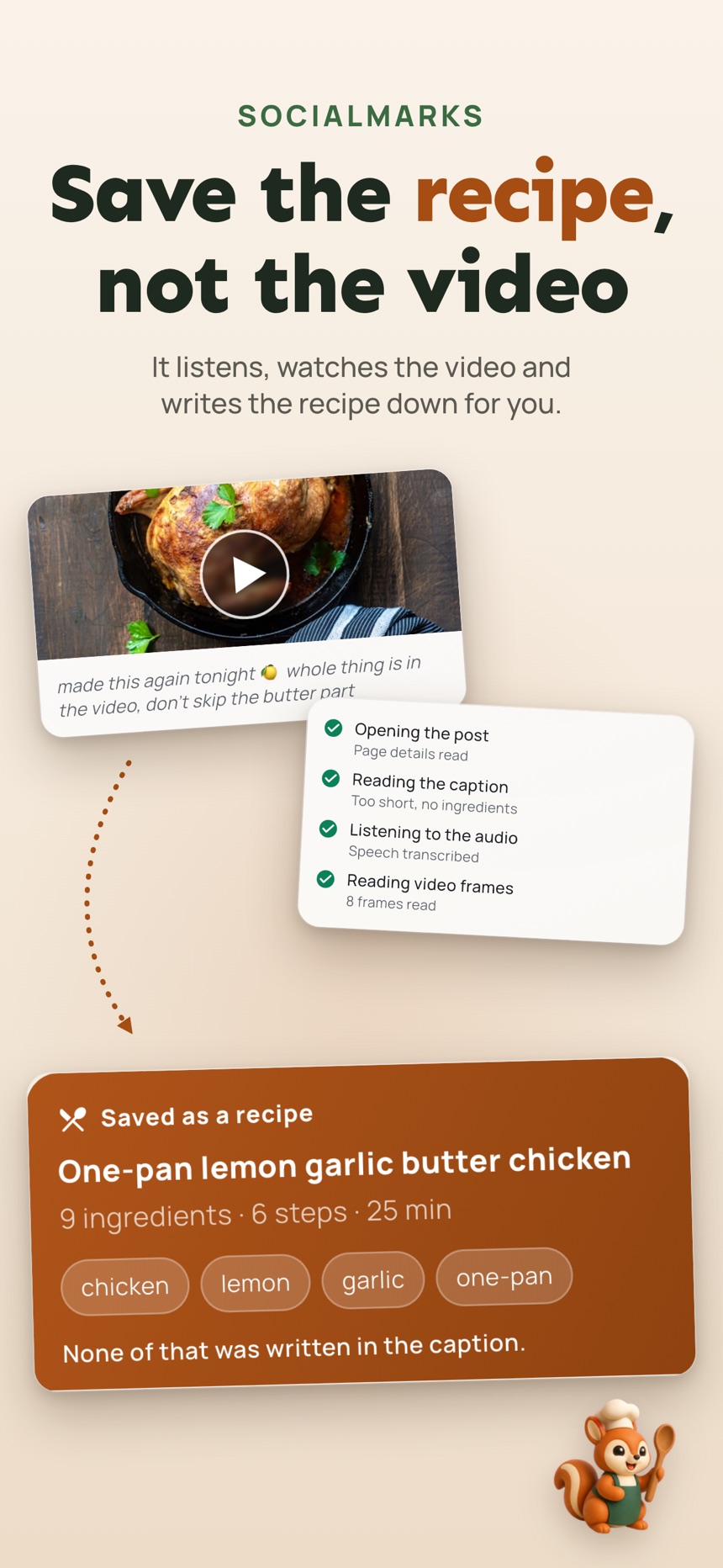
- Ingredients and steps pulled from the video, so you do not have to replay it.
- Cook Mode walks you through each step with the screen kept awake.
- A shopping list that skips what you already have.
Frequently asked questions
What is the best way to save recipes from TikTok or Instagram?
Use the Share button to send the post link to one recipe collection outside the app, and add a short note if the video has no written recipe. Platform saves are fine for inspiration, but posts can be deleted and are hard to search.
Should I screenshot recipes or save the link?
Save the link as your main record, because it keeps the source and full instructions. Use a screenshot only as a backup for details the link does not show, such as an ingredient list on screen.
How should I organize saved recipes?
Sort by the decisions you make on a busy day, such as Weeknight, Slow Cooker or Try Soon, rather than by cuisine. Keep tags to two or three per recipe.
Can an app turn a recipe video into a written recipe?
Yes. SocialMarks on iPhone can read a saved cooking video, with your permission, and turn it into ingredients and steps with a Cook Mode and a shopping list.
How do I save a recipe from a website on my phone?
Tap your browser’s Share button on the recipe page and save it to your recipe collection, then add a quick label such as weeknight or slow cooker. Scanning the title, total time and main ingredients first tells you where it fits.
Should I copy recipes into a notes app?
Only for a treasured family recipe or a page you worry may disappear. For everyday saving, a link plus a short note is lighter and faster, and your own notes after cooking, such as double the sauce, make the recipe easier to repeat.